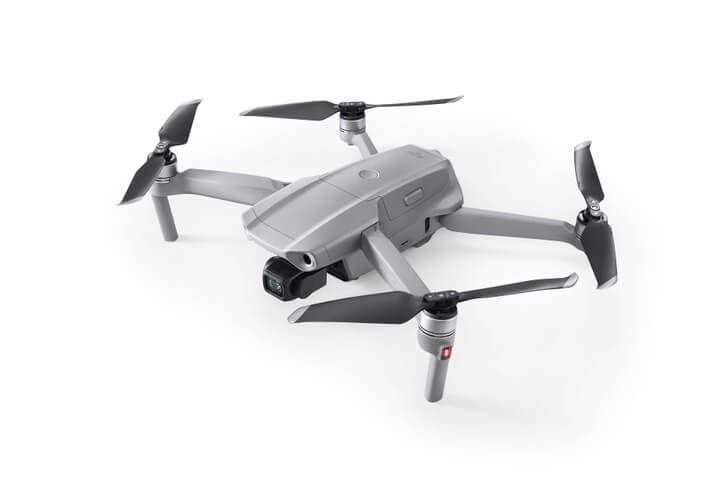
Buying a drone looks simple until you find three versions of the same model at three different prices. One listing adds extra batteries, another swaps the controller, and a third is an older model. This checklist explains what to compare before buying a drone, so the model that arrives matches the flying you have in mind.
It’s written for anyone buying a drone in Australia, at Drones Direct or anywhere else. We cover what’s in the box, batteries, controllers, compatibility, older models, grey imports and the paperwork for work flying. If you’re still learning the basics, our beginner’s guide to drones is a good place to start.
Short on time? Use this checklist while buying a drone, then compare real kits side by side in our drone shop. Jump straight to camera drones, FPV drones, waterproof and fishing drones or enterprise drones, and every listing shows exactly what is in the box.
Before buying a drone, decide what it’s for
The right drone depends on the job, not the spec sheet. Before buying a drone or comparing models, write down where you’ll fly, what you want to capture and how often you’ll head out. That short list rules out most of the range straight away and stops you paying for features you won’t use.
Here’s how common uses map to the camera, FPV, water and work drones in the range:
- Travel, family and social video: a folding camera drone, often a sub-250 g mini.
- Faster, immersive flying: FPV drones, flown with goggles.
- Fishing and flying over water: waterproof and fishing drones that take off from and land on water.
- Looking below the surface: underwater drones, which are tethered ROVs rather than aircraft.
- Inspection, mapping and public safety: enterprise drones with thermal, zoom or RTK options.
- Classrooms and coding: education drones built for learning.
If price is your main filter, our guide to the best budget drones narrows the entry-level options. If image quality matters most, our guide to choosing a drone with camera explains sensors, frame rates and gimbals.
What’s in the box: base kits, combos and bundles
Two drone listings with the same name can arrive with very different kits. A base listing may cover just the aircraft, or the aircraft with one battery and a standard controller. Combos and bundles add extra batteries, charging gear and often a bag or case. Read the box contents on the product page before you compare prices.
Here’s how the naming works on drone listings across the range:
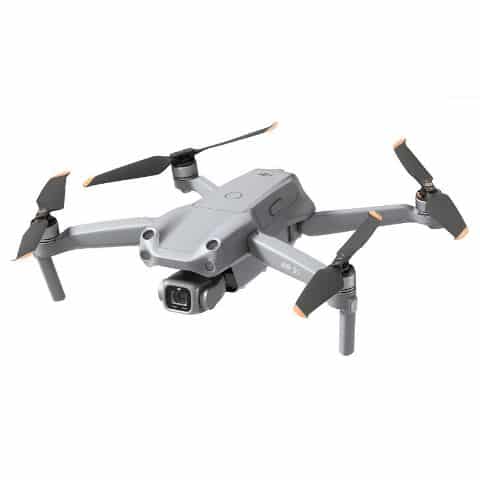
- Fly More Combo: DJI’s name for a bundle with extra batteries and charging gear, such as the DJI Air 2S Fly More Combo.
- Fly More Kit: an add-on pack for a drone you already own, like the DJI Mini 3 Pro Fly More Kit.
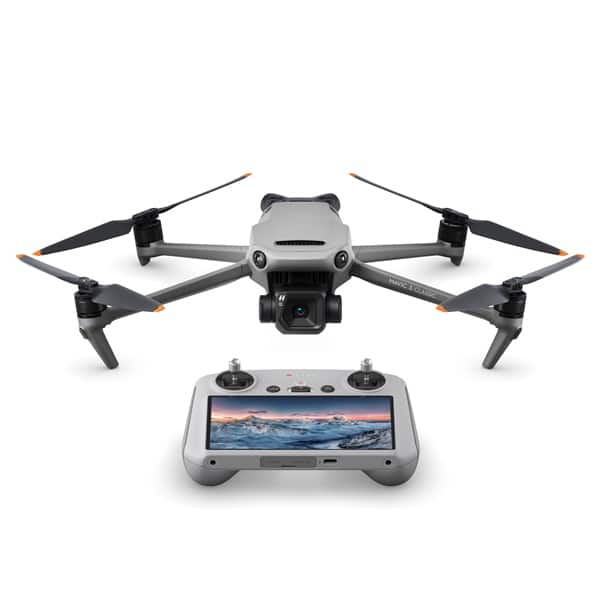
- With DJI RC or Smart Controller: the controller differs, as with the DJI Mavic 3 Classic (with DJI RC).
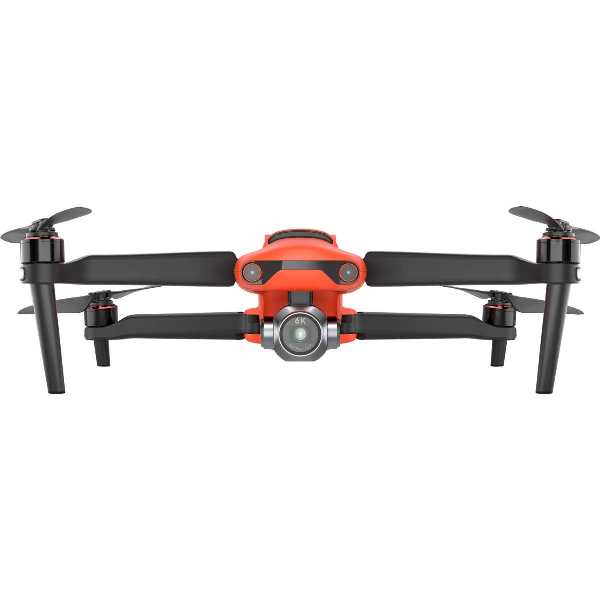
- Rugged Bundle or Rugged Combo: Autel’s EVO II packages, such as the Autel EVO II Pro Rugged Combo 6K V2.
- Aircraft only: some listings, like the DJI FPV Drone, cover the aircraft without goggles or a controller.
A bundle is only worth it if you’ll use what’s in it. A second controller or a carry case you’ll never open is money you could have spent on spare batteries. When two listings look similar while you’re buying a drone, line up their contents side by side and work out what the extra items would cost you later.
Batteries: count them before buying a drone
Batteries shape your flying day more than almost any other spec. Makers quote maximum flight times in calm conditions, so real flights run shorter. One battery means one short flight, then a wait while it recharges. That’s why so many drones come as combos with extra packs. Before you buy, check:
- How many batteries are included, and how long each takes to charge.
- Whether a charging hub is included or sold separately.
- Whether spare batteries are still listed for that model, especially for older drones.
- Whether a larger battery changes the weight. DJI notes the Mini 3 Pro weighs about 290 g with its Intelligent Flight Battery Plus.
- How you’ll charge away from mains power, such as from a car or a portable power station.
Batteries are usually designed for a specific model or series, so confirm compatibility before buying spares. The range lists dedicated packs such as the Mavic Air 2 Intelligent Flight Battery and the Autel EVO II Intelligent Battery, plus an Autel EVO II Battery Charging Hub. For long days away from power, an EcoFlow power station can run your chargers in the field. If you’ll travel by plane, check your airline’s rules for lithium batteries first.
Controller types and how you see the picture
Controllers come in a few broad types, and the type affects comfort, setup time and the total cost. When buying a drone, check which controller each listing includes, not just the aircraft:
- Phone-based controllers: your phone clips in and acts as the screen through the maker’s app, so check your phone works with that app.
- Screen controllers: the DJI RC, the DJI Smart Controller and the Autel Smart Controller V2 have built-in screens, so there’s no phone to connect.
- FPV radios and goggles: FPV drones fly with a radio and goggles, either bundled or bought separately for bind-and-fly (BNF) quads.
- Enterprise controllers: the DJI RC Plus sits in the Matrice 30 series range.
Not every controller works with every drone. A controller built for one generation may not pair with an older aircraft, so confirm compatibility on the product page or the maker’s site before buying one separately. This matters most when buying a drone second-hand, where the original controller may be missing. If you’d like a larger screen, the range also includes the TriplTek 9 Pro Tablet.
Compatibility checks before buying a drone
Compatibility surprises are easy to avoid if you check before checkout. Run through this list for any drone you’re considering, and for the accessories you plan to add:
- App: confirm which app the drone uses and that it supports your phone or tablet.
- Batteries and chargers: match the exact model, not just the brand.
- Cases: fitted cases such as the Nanuk 925 Case for DJI Mavic 3 are cut for one model.
- Filters: ND filters like the Autel EVO II Pro ND Filters are made for a specific camera.
- Camera add-ons: the Insta360 Sphere is built to mount on specific DJI drones.
- FPV gear: check that goggles, radio and video system all work together.
When a listing doesn’t make compatibility clear, ask before you buy. At Drones Direct, the team is available through live chat to answer questions like this before or after you order.
Older drones versus current models
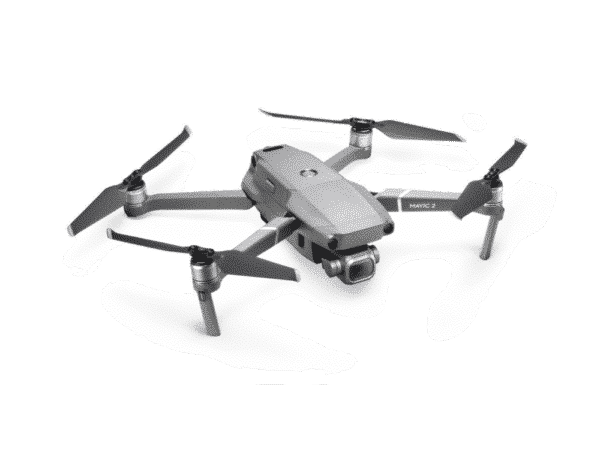
Some drones on the market are older models that are still capable, and they can cost less than the models that replaced them. In the Drones Direct range, older models include the DJI Mavic Mini, the DJI Mavic 2 Pro and the Mavic 2 Enterprise models. An older model can be a sensible buy, as long as you know what you’re giving up.
The Mavic 2 Pro, for example, carries a 1-inch sensor camera developed with Hasselblad, which still suits careful photographers. But older aircraft can lack features that arrived later. Before choosing one of the older drones, check these points before buying a drone:
- Feature gaps: compare obstacle sensing, the transmission system and video frame rates with a current model.
- App support: older drones may use a different app from current models, so check it runs on your phone.
- Batteries and spares: make sure packs and parts are still listed, such as the Mavic 2 Intelligent Flight Battery.
- Accessories: look for cases, filters and kits made for that exact model.
Price usually decides it. If an older model costs close to a current one, the newer design usually makes more sense. If the gap is large and the older drone does what you need, it can be a smart way to start flying without stretching your budget.
Spotting risky listings when buying a drone online
Most of the risk in buying a drone sits outside the drone itself. Grey imports and fake listings both turn up when you search for drones for sale, and both are far easier to avoid than to fix afterwards. Two checks cover most of it: where the drone came from, and whether the listing is genuine.
Grey imports
A grey import is a genuine product brought into the country outside the maker’s usual local distribution. It isn’t necessarily fake, but it may be built for another market. The charger plug, manual language and included accessories can differ, and the maker’s local support or care plans may not apply. Ask any seller where the drone was sourced and what support applies in Australia.
Grey imports aren’t always obvious. A price well below other listings with the same kit, an overseas plug type or vague answers about support are all reasons to ask more questions before you pay.
Too-good-to-be-true listings
Scamwatch, run by the ACCC, names extremely low advertised prices and requests to pay by direct bank transfer or cryptocurrency as warning signs. Its online shopping scam warning also urges buyers to research a seller first. When buying a drone online, watch for these red flags as well:
- A price far below other listings for the same model and kit.
- Vague names like “4K Pro drone” with no maker or model number.
- Specs that don’t match the maker’s site, such as long flight times on a toy-sized drone.
- No business details, no contact options and no clear shipping cost.
- Pressure to pay quickly, or outside the site’s normal checkout.
When buying a drone second-hand, ask for the serial number, battery details and any crash history, and inspect expensive items before paying, as Scamwatch advises. Then compare every spec with the maker’s own pages, such as DJI’s website.
Paperwork if you’ll fly for work
Flying for fun and flying for work are treated differently in Australia. If you plan to use a drone for work or business, CASA has extra registration and accreditation requirements. Check them on the CASA website before you buy, so you know exactly what applies before your first job.
Good records help whatever the job. Keep your proof of purchase, note each aircraft’s serial number and file the manuals somewhere easy to find. When comparing enterprise drones, check what each listing covers. Some name a care plan in the title, such as the DJI Matrice 30T with Enterprise Care Plus, so read the plan terms on the maker’s site.
Accessories to budget for when buying a drone
The drone is rarely the last purchase. Comparing drones on the aircraft price alone hides the accessories you’ll need to keep flying and protect your gear. Budget for these from the start:
- Spare batteries and a charging hub, if the kit doesn’t include them.
- A hard case: the range includes fitted Nanuk drone cases for specific models.
- ND filters for smoother video in bright light.
- A microSD card, if one isn’t included.
- Spare propellers, because the tips chip and wear.
- Landing gear for rough launch spots, such as the EXOLANDER for Autel EVO II.
- Extra screens, mounts or a power station for long days in the field.
To see what’s available for your drone, browse Accessories & Spares and filter by category or price range. Adding the essentials to your cart with the drone also shows the full cost, including shipping, before you pay.
Buying a drone from the Drones Direct range
Once your checklist is done, the drones for sale in our range are much easier to narrow down. Drones Direct lists more than 250 products, and the Drones Direct shop can be filtered by category, price range, in-stock and on-sale items, then sorted. Here are sensible starting points for common needs:
- First camera drone: the DJI Mini 2 Fly More Combo or the Autel EVO Nano.
- Larger sensor for photo and video: the Autel EVO II Pro 6K V2 or the DJI Air 2S.
- FPV: the DJI FPV Combo, which bundles the aircraft, goggles and controller.
- Fishing and water: the SwellPro SplashDrone 4 and SwellPro Fisherman MAX ranges.
- Underwater: the Chasing Dory as an entry point, up to the Chasing M2 series. Our underwater drones guide explains how they work.
- Work and inspection: the Mavic 3 Enterprise series, the Matrice 30 series and Autel’s enterprise options.
Know the rules before your first flight
Whatever you choose when buying a drone, CASA’s rules apply from the first flight. For recreational flying, the standard operating conditions include:
- Fly no higher than 120 metres above ground level.
- Keep at least 30 metres away from other people.
- Keep the drone within your visual line of sight.
- Fly only one drone at a time.
- Don’t fly over or above people, or in populous areas such as beaches, parks and sporting events.
- Stay away from emergency operations.
- Respect other people’s privacy.
CASA also recommends a CASA-verified drone safety app to check where you can and can’t fly. Read the full rules on the CASA drone rules page before you head out. CASA’s rules are for drones that fly, so if you’re buying an underwater drone, check the rules for the waters you’ll use it in.
How buying from Drones Direct works
Drones Direct is an online store at dronesdirect.com.au. Every product can be added to the cart and bought through a secure checkout. Shipping is calculated at checkout from your delivery address, so the full cost is shown before you pay, and orders are sent straight to you.
If you have a question about any of the drones for sale on the site, the team can be reached through live chat before or after you buy. Creating an account lets you see your orders and save addresses for next time. The On Sale section is also worth checking for current sale items.
Quick checklist for buying a drone
Keep this list open in a tab and tick every line before buying a drone, whether it is a small camera drone or a full enterprise kit.
- Purpose: what you will film or do, where you will fly and how often.
- Kit: count the batteries, chargers and propellers, and check which controller is in the box.
- Weight: note whether the drone is under or over 250 g, because weight affects which CASA rules apply.
- Model age: confirm firmware support, spare parts and replacement batteries are still available.
- Seller: Australian stock, a local warranty and a clear returns policy.
- Paperwork: check CASA registration and accreditation if you will fly for work.
Once every box is ticked, buying a drone becomes a simple comparison of price and kit. Line up the options in our drone shop, where each listing shows exactly what ships in the box.
Buying a drone FAQ
What is the most common mistake when buying a drone?
Comparing aircraft prices without comparing kits. When buying a drone, two listings with the same model name can differ by several batteries, a different controller or an older firmware generation. Line up the box contents first, then the price, and buying a drone becomes far less of a gamble.
Is buying a drone online safe in Australia?
Yes, when the seller is an Australian business with a published returns policy and local warranty support. The real risk when buying a drone online sits with grey imports and marketplace listings that hide where the seller is based, so check those details before you pay. If you are unsure about any listing on our site, ask our team before you order.
What should I check first when buying a drone?
Start with the box contents, the controller and the number of batteries, because these change the real cost the most. Then confirm the exact model, check that the app and accessories are compatible, and compare the specs with the maker’s own site. A clear checklist makes drone listings much easier to compare side by side.
Is a Fly More Combo worth it when buying a drone?
If you’ll fly regularly, usually yes. Combos add extra batteries and charging gear, which turns one short flight into a proper session. If you’ll only fly now and then, the base kit and one spare battery may be enough. Check the product page for exactly what each combo includes.
Are older drones still worth buying?
They can be, if the price gap is large and the features suit your plans. Older models may lack newer safety and transmission features, and spares can become harder to find. Check that batteries and parts are still listed, and compare the specs with a current model before you decide.
How can I tell if a drone listing is a scam?
Watch for extremely low prices, vague model names, missing business details and requests to pay by direct bank transfer or cryptocurrency. Scamwatch lists several of these as warning signs. Compare the listing with the maker’s own specs, and when buying a drone second-hand, inspect expensive items before paying.
What extra steps apply if I’ll fly for work?
CASA has extra registration and accreditation requirements for flying for work or business, so check them on the CASA website before your first job. Keep proof of purchase and serial numbers on file, and choose batteries, controllers and cases that suit the work you’ll be doing.
The best time to avoid a buying mistake is before checkout. Run this checklist over any drone you’re considering, compare the product pages side by side and budget for the accessories you’ll need. For a closer look at one brand, read our DJI drones guide, or start browsing the camera drones category.