A cheap underwater drone with camera and lights lets you see under your boat, around a jetty or across a reef without getting wet. Entry-level models record Full HD video, run for up to an hour or longer depending on the model, and pack down small. They also make compromises that matter once you’re in the water. This guide covers the entry-level models in the Drones Direct range, what you give up at lower prices, what to check before buying and the add-ons worth budgeting for.
If underwater drones are new to you, start with our guide to underwater drones for the basics of tethers, thrusters and buoyancy. The aim is to help you find the right cheap underwater drone with camera for how you’ll actually use it, without paying for depth or features you’ll never need.
What counts as a cheap underwater drone with camera
In this guide, cheap means entry-level, not flimsy. These are the most affordable models in our Underwater Drones range: remotely operated vehicles (ROVs) that send a live camera feed to your phone or controller through a tether. Compared with inspection-grade machines, they trade depth, tether length and camera size for a lower price and a lighter kit. For a first-time owner, a cheap underwater drone with camera quality suited to shallow water is a sensible place to start.
At the time of writing, the Chasing Dory and Dory Explore sit under $1,000, and the Chasing F1 Fish Finder Drone sits just over that mark. Prices change, so the product page always shows the current price. A step up, the Gladius Mini and Gladius Mini S cost more but dive far deeper. Either way, each cheap underwater drone, with camera, lights and live view built in, is a complete system rather than a camera you strap to something else.
A budget model makes sense if you mainly want to:
- look under your own boat, mooring or pontoon in calm, shallow water
- explore snorkelling spots, rock pools and sheltered bays with the family
- check a farm dam, pond or tank without wading in
- film fish and marine life for fun rather than for paid work
How an entry-level underwater drone works
A typical cheap underwater drone with camera follows a simple design. Thrusters push the drone forward, back, up and down. Its buoyancy is trimmed close to neutral, so the thrusters spend their effort moving it rather than holding it up. A camera and LED lights face forward, and an internal battery powers everything.
The tether is the part beginners often overlook. Radio signals travel poorly through water, so the drone sends video and receives commands along a thin cable. On the Dory, that cable runs to a floating Wi-Fi buoy that links to your phone. Chasing lists a 15 metre maximum depth for the Dory, a 15 metre Wi-Fi range from the buoy, and packs that include a 15 metre tether.
This setup means you need to keep the buoy within Wi-Fi range and the tether free of snags. Larger models such as the Gladius Mini S use a long reel and a dedicated remote instead. On a cheap underwater drone, with camera feed and controls both riding on one slim tether, cable management is part of every dive.
The entry-level models in the Drones Direct range
The Drones Direct underwater range is built around Chasing ROVs, and five models sit at the more affordable end. Here’s what each is designed for, based on the specs Chasing publishes.
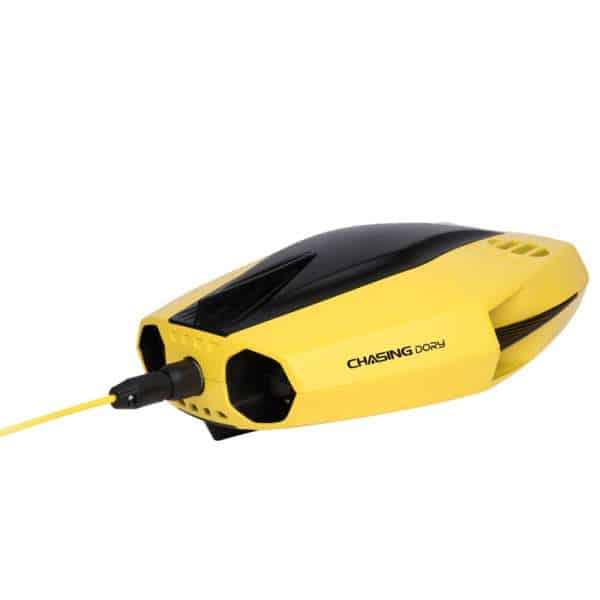
Chasing Dory
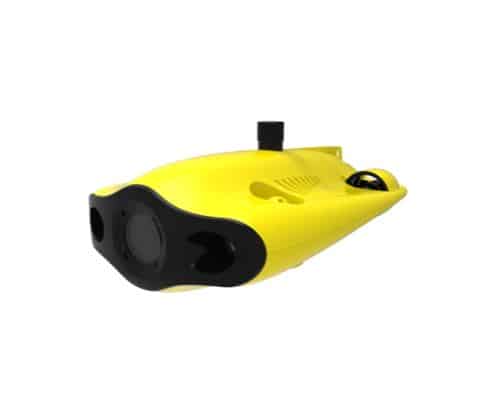
The Chasing Dory Underwater Drone is the simplest way into the hobby. Chasing calls it entry-level and lists a 1.1 kg body, a 15 metre depth rating and up to 60 minutes of runtime. The camera uses a 1/2.9-inch sensor and records 1080p video at 30 frames per second, lit by two 250-lumen LEDs. It’s a cheap underwater drone with camera and lights aimed squarely at calm, clear and shallow water.
Its strengths are size and simplicity. Chasing designed it around simple app controls, and at under 25 cm long it travels easily to the beach or on holiday. The trade-offs are a modest top speed of 1.5 knots, which limits how well it holds position in current, and lights that only reach so far in murky water.
Chasing Dory Explore
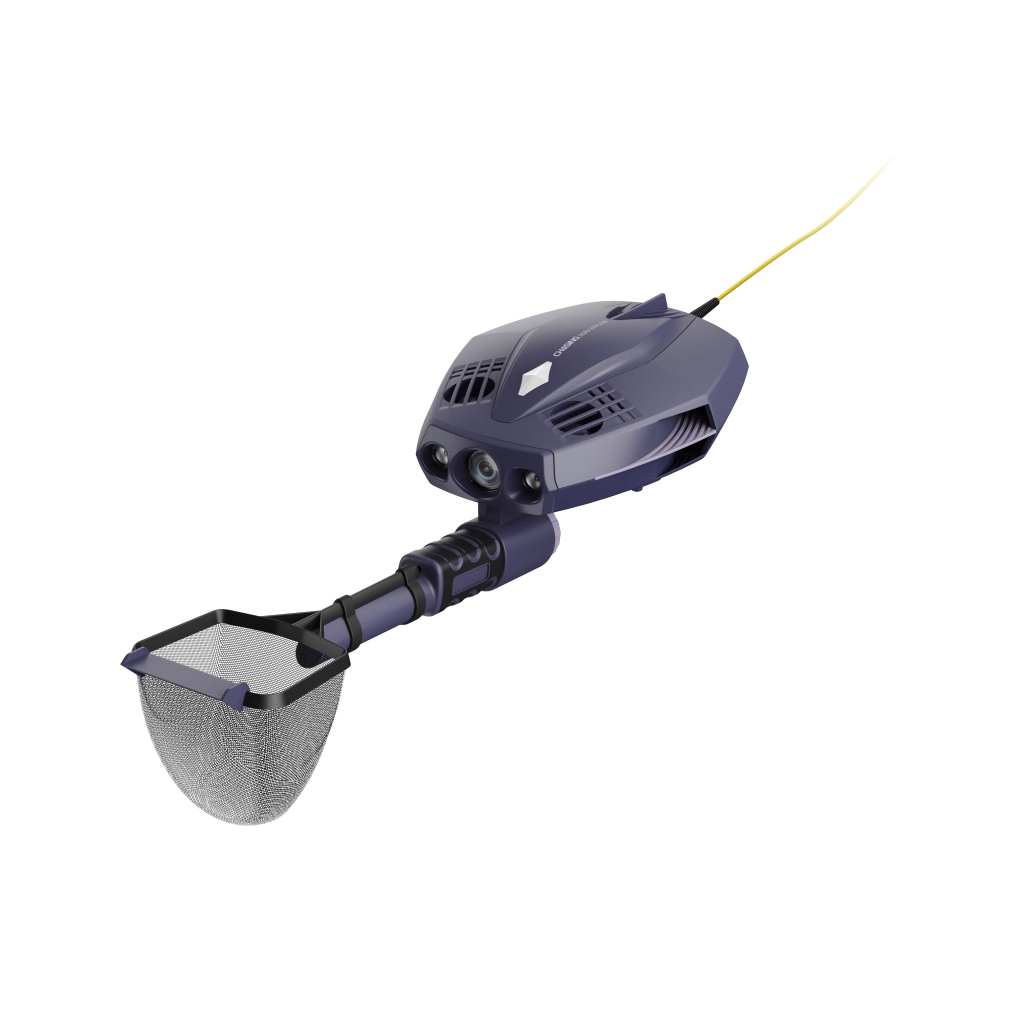
The Chasing Dory Explore shares the Dory’s compact body and 15 metre depth rating but adds features for searching. Chasing lists built-in metal detection, a depth-holding assist and a reel with a 14.5 metre tether. Runtime is quoted at 35 minutes at full throttle and up to 4 hours with the lights off in still water, so how you drive it matters.
Chasing pitches it at finding lost items and hidden objects, with a dual-device mode so two people can watch at once. Around jetties, moorings and swimming spots where things get dropped, it’s a cheap underwater drone with camera and detector working together. The camera matches the Dory: 1080p at 30 frames per second from a 1/2.9-inch sensor.
Chasing F1 Fish Finder Drone
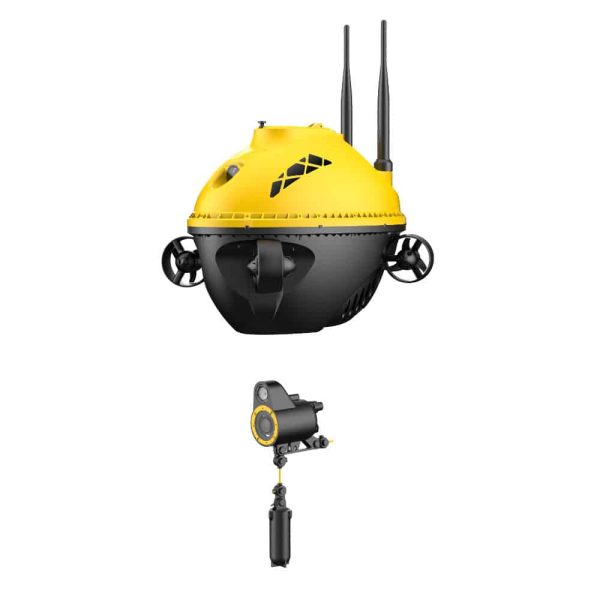
The Chasing F1 Fish Finder Drone works differently from the others. It moves across the surface on four thrusters and lowers a camera on a built-in automatic reel to a working depth of up to 20 metres, according to Chasing’s F1 overview. GPS lets it hold position, save fishing spots and return to where it started.
For anglers, that makes it a cheap underwater drone with camera views of what’s below the boat or shore. Chasing lists 1080p video, an infrared light for close viewing in the dark, a 30 metre Wi-Fi range and a swappable battery quoted at four to six hours. It isn’t a free-swimming ROV, so it suits spotting fish more than exploring reefs or hulls.
Chasing Gladius Mini
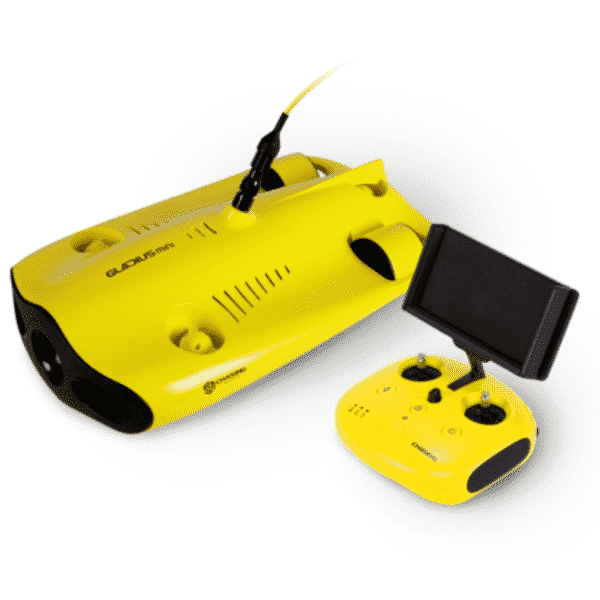
The Chasing Gladius Mini is where the range steps up. Chasing lists a 100 metre depth rating, 4K video at 30 frames per second, 1080p at up to 120 frames per second and 12-megapixel photos in JPEG or DNG. Twin 1,200-lumen lights and a top speed of 4 knots make it far more capable in deeper water and moving current.
It costs more than the Dory models, weighs 2.5 kg and runs for about 2 hours by Chasing’s figures. If you want a cheap underwater drone with camera resolution above Full HD, this is the first rung. Chasing offers it with 50 or 100 metre tethers, so check which length the product page lists.
Chasing Gladius Mini S
The Chasing Gladius Mini S builds on the Gladius Mini. Chasing’s Mini S specs list a 100 metre depth rating, 4K at 30 frames per second and a wide 150-degree field of view. Twin 1,200-lumen lights and two 4,800 mAh batteries round it out, with up to 4 hours of runtime quoted. Tether options run to 100 or 200 metres.
At 2.7 kg with a dedicated remote, it’s the step just below the M2 series in our range. The Gladius Mini and Mini S sit between $1,500 and $2,500 at the time of writing; prices change, so check each product page for the current price. They stretch the definition of a cheap underwater drone. With camera, lights and depth rating all a clear step up, they’re worth comparing if you want room to grow.
What you trade off at lower prices
Paying less is fine when you know what you’re giving up. Set the Dory beside the Gladius Mini and Chasing’s published figures show where the extra money goes:
- Depth: 15 metres for both Dory models, against 100 metres for both Gladius models.
- Tether: about 15 metres on the Dory models, against 50 to 200 metres across the Gladius options.
- Camera: a 1/2.9-inch sensor recording 1080p, against a 1/2.3-inch sensor with 4K and high frame rates.
- Lights: two 250-lumen LEDs, against two 1,200-lumen LEDs.
- Speed: 1.5 knots for the Dory, against 4 knots for the Gladius Mini.
- Photos: JPEG only on the Dory, against JPEG and DNG raw files on the Gladius Mini.
None of these gaps matter if you’ll stay in calm water a few metres deep. They matter a lot in a tidal channel or along a reef wall. Be honest about where you’ll use it, because a cheap underwater drone with camera specs sized for a sheltered bay won’t suddenly cope with strong current.
Size and weight are where the cheaper models win. At 1.1 kg, a Dory is easy to carry down a beach or onto a kayak, while a Gladius kit with a long tether reel is a heavier load. You’re more likely to take a cheap underwater drone with camera gear this light on every trip.
Reading the camera specs on a budget
Camera numbers can mislead underwater. Water absorbs light quickly, starting with reds, so footage turns blue-green as you go deeper. That’s worth remembering when you shop for a cheap underwater drone. With camera sensors this small, clear water and good light shape your footage more than the pixel count does.
Look at these specs when you compare models:
- Resolution and frame rate: 1080p at 30 frames per second suits viewing and sharing, while 4K helps if you crop or edit and 120 frames per second allows slow motion.
- Sensor size: the Gladius models use a 1/2.3-inch sensor against the Dory’s 1/2.9-inch, and larger sensors generally handle low light better.
- Field of view: a wide view shows more of the scene but makes distant objects look smaller.
- Lights: more lumens reach further in murky water, though particles still bounce light back at the lens.
- Photo format: DNG raw files, listed for the Gladius Mini, leave more room to correct colour later.
Keep these in mind and you’ll spot a cheap underwater drone with camera specs that genuinely suit your water, rather than one that only looks good on paper.
Checklist before buying a cheap underwater drone with camera
Run through these questions before you add anything to the cart:
- Depth: how deep is the water you’ll use it in? Leave a margin below the rated depth.
- Range: tether length and Wi-Fi range set your real working radius.
- Current: slower drones struggle in tidal channels, river mouths and surge.
- Clarity: murky dams and estuaries favour brighter lights.
- Runtime: compare runtime and charging time, and check whether the battery swaps out.
- Control: a phone app is simple, while a dedicated remote gives you physical sticks.
- Sharing: check storage, file formats and in-app sharing if you’ll post clips.
If a model ticks most of these boxes, it’s probably the right fit. If it misses on depth or current, look one step up rather than hoping it copes. A cheap underwater drone with camera features you’ll use on every trip is a better buy than a pricier one that stays in the cupboard.
Read the listing closely
Kits vary. Chasing sells the Dory in a Backpack Pack and in a Flash Pack that adds a remote controller, for example. So when a cheap underwater drone, with camera, buoy and tether, looks complete in the photos, confirm the parts list on the product page as well.
Matching a model to how you’ll use it
The right cheap underwater drone with camera comes down to the water and the job. Here’s how the entry-level range lines up:
- Beach days, holidays and snorkelling spots: the Dory, for its small size and simple app control.
- Searching around jetties and swimming spots: the Dory Explore, for metal detection and depth-holding assist.
- Fishing from a boat or the shore: the F1, which lowers a camera to look for fish.
- Hulls, moorings and deeper reefs: the Gladius Mini or Mini S, for the 100 metre rating and brighter lights.
- Paid inspection work: the Chasing M2 Series, which sits above the Gladius range, with optional tools such as a grabber claw.
For tides, swell and local rules, read our guide to using an underwater drone in Australia before your first trip, and check the rules for the exact spot you plan to dive. Anglers who’d rather drop bait from the air can compare our waterproof and fishing drones. A cheap underwater drone with camera footage from below the surface answers a different question: what’s actually down there.
First dives with a budget ROV
Technique makes a visible difference on a cheap underwater drone. With camera hardware sized to a budget, slow and steady movement and staying close to your subject give the clearest, most colourful footage. A few habits help from day one:
- Start in calm, clear water a few metres deep while you learn the controls.
- Feed out only the tether you need, and keep slack away from rocks and weed.
- Keep the buoy or reel close, and start with your phone fully charged.
- Watch the surface for boats, swimmers and fishing lines.
- Turn the lights down in clear, shallow water to stretch runtime, where your model allows it.
Salt water is hard on any cheap underwater drone with camera, thrusters and seals exposed to the sea. Rinse everything in fresh water after each session and dry it in the shade. Then follow the care steps in your model’s manual.
Add-ons worth budgeting for
The drone is only part of the cost. These extras make a budget ROV easier to carry, power and protect:
- Dory Travel Backpack: a backpack designed for the Dory, for carrying it to the water.
- Mini S replacement motor: a spare for Gladius Mini S owners heading somewhere remote.
- Portable power stations: recharge at the boat ramp or campsite; check the charger’s power draw first.
- Headlamps and work lights: useful for early launches and packing up after dark.
- Protective hard cases: an empty case protects gear in a ute or boat; check internal dimensions first.
Budget for these up front. The cost of a cheap underwater drone with camera and the extras you’ll actually use is a more honest number to compare than the drone’s price alone. You can browse everything in the Drones Direct shop, filter by category and price range, and sort the results. Weighing up a flying drone too? Our best budget drones guide covers the aerial side.
Cheap underwater drone with camera FAQs
How deep can a cheap underwater drone with camera go?
It depends on the model. Chasing rates the Dory and Dory Explore to 15 metres, and the F1 lowers its camera to a working depth of 20 metres. The Gladius Mini and Mini S are rated to 100 metres. Tether length, light and visibility also limit how deep you’ll usefully go, so leave a margin below the rated figure.
Is 1080p video good enough underwater?
For viewing, sharing clips and checking what’s below the boat, 1080p suits most owners. A cheap underwater drone with camera resolution at 1080p is still a capable viewing tool. If you plan to edit, crop or print your footage, the 4K video and 12-megapixel photos listed for the Gladius models give you more to work with.
Is a cheap underwater drone with camera good for fishing?
It can be. The F1 is designed for anglers, with a reel-mounted camera, GPS position hold and saved fishing spots. A Dory can also show you fish around a jetty or reef edge. Keep the tether clear of lines and hooks, and check the local fishing rules for the area before you head out.
What should I buy with my first underwater drone?
Start with a way to carry and protect a cheap underwater drone with camera and tether, such as the Dory Travel Backpack or a hard case. Add portable power if you’ll be away from mains for long, and a headlamp for early starts. If your model has listed spares, such as the Mini S replacement motor, consider one before a remote trip.
Buying on a budget works best when you match the drone to the water. Start with depth, current and clarity, then compare camera, runtime and kit. Browse the full Underwater Drones range to compare models, and if you have questions before or after buying, the Drones Direct team is available through live chat on the site. The right cheap underwater drone with camera is the one you’ll use often.