This DJI FPV review looks at one of the most influential drones of recent years: the ready-to-fly kit that brought first-person flying to people who’d never touched a soldering iron. The DJI FPV combines an immersive digital view, three flight modes and an emergency brake in one box, so newcomers can feel the thrill of FPV without starting from scratch.
In this DJI FPV review we cover the design, flight modes, camera, goggles, battery life, safety features and the Australian rules, along with honest pros and cons. It’s based on DJI’s published specifications and the product listing, and it will help you decide whether the DJI FPV Combo is right for you.
DJI FPV review: the quick verdict
The DJI FPV is the easiest way to experience fast, immersive FPV flying in a complete, ready-to-fly package. Its Normal mode and emergency brake give beginners a safety net, while Manual mode delivers full acro control as your skills grow. It’s heavier than most hobby FPV quads, so it isn’t ideal for close-proximity freestyle, but as an all-in-one introduction to FPV it remains compelling.
| Summary | |
|---|---|
| Best for | Newcomers to FPV who want everything in one box |
| Top speed | Up to 140 km/h in Manual mode (DJI figure) |
| Video | Up to 4K/60fps |
| Flight time | Roughly 20 minutes per battery (listing) |
| Flight modes | Normal, Sport and Manual |
| Key safety feature | Emergency brake and hover |
| Weight class | Over 250 g |
What’s in the DJI FPV Combo?
The DJI FPV Combo includes the drone, the DJI FPV Goggles V2, the remote controller, a flight battery and the cables and accessories you need to get started. It’s a genuine ready-to-fly kit, which is a big part of its appeal in any DJI FPV review.
If you already own compatible goggles and a controller, the DJI FPV drone is also sold on its own.
Design and build
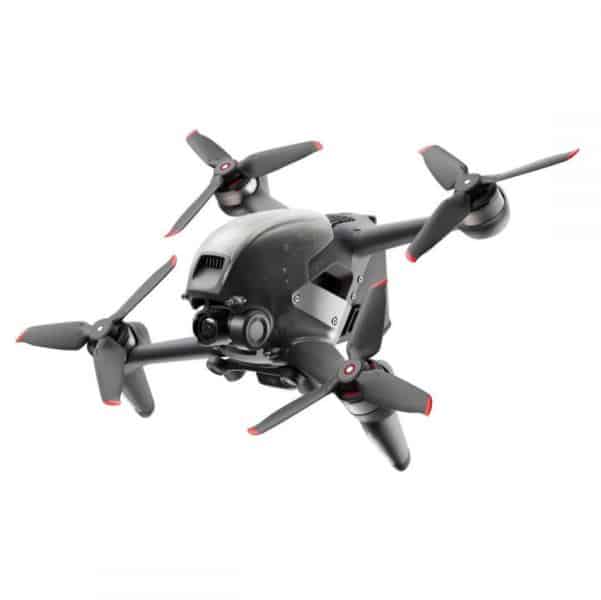
The DJI FPV has a sleek, aerodynamic body with a forward-facing camera on a single-axis gimbal. Its arms don’t fold, which is typical for FPV drones, and replaceable top shells and landing gear make minor repairs easier.
At a little under 800 g, it’s heavier than most hobby 5-inch FPV quads and far heavier than sub-250 g camera drones. That weight helps stability in wind and at speed, but it also means more energy in a crash and stricter rules under CASA’s weight categories.
Flight modes
Flight modes are the heart of this DJI FPV review, because they’re what make the drone accessible.
Normal (N) mode
Normal mode flies like a regular GPS drone. The aircraft holds its position when you release the sticks, limits speed and uses forward and downward sensors to help avoid obstacles. It’s the perfect place to start.
Sport (S) mode
Sport mode keeps self-levelling but raises speed and agility for more dynamic flying. It’s the bridge between camera-drone flying and full FPV.
Manual (M) mode
Manual mode removes the self-levelling and assists, giving full acro control for flips, rolls and dives. DJI quotes a top speed of up to 140 km/h in this mode. Most pilots practise on a simulator before switching to Manual outdoors.
| Mode | Self-levelling | Speed | Best for |
|---|---|---|---|
| Normal | Yes, holds position | Lowest | First flights and learning |
| Sport | Yes | Medium to high | Building confidence |
| Manual | No | Highest | Freestyle and dynamic cinematic shots |
The emergency brake
One feature stands out in every DJI FPV review: the emergency brake. Press a button on the controller and the drone stops, levels and hovers, even from Manual mode.
For newcomers, that’s a huge safety net. If you lose orientation or panic, one press brings the drone to a stable hover so you can regain control.
Camera and video quality
The DJI FPV records video at up to 4K/60fps with a super-wide field of view, and electronic stabilisation smooths the footage. For immersive, high-speed shots, the results are striking.
The camera uses a small sensor, so footage won’t match larger-sensor camera drones in low light or dynamic range. As a DJI FPV review point, think of the camera as excellent for action and speed, rather than for cinematic landscapes at dusk.
Goggles and live view
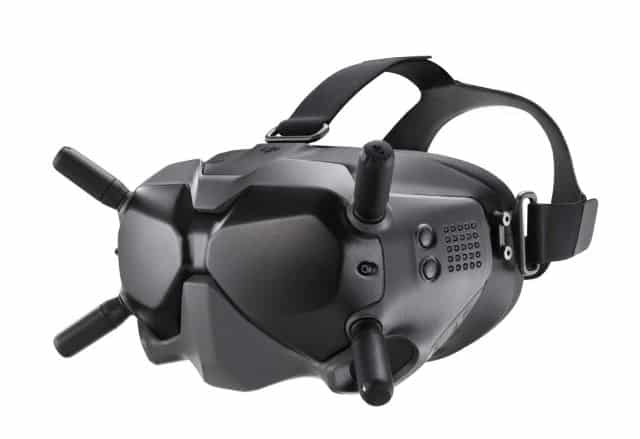
The included DJI FPV Goggles V2 deliver a sharp, low-latency digital feed. Compared with analogue FPV, the clarity makes it far easier to judge gaps and distances, which helps new pilots learn.
The goggles are also compatible with Caddx digital air units used on many hobby FPV drones, so they remain useful if you later move into bind-and-fly quads.
Controller and motion control
The DJI FPV Remote Controller has adjustable sticks and dedicated buttons for the emergency brake, mode switching and recording. It feels familiar to anyone who has used a radio controller.
Battery life and charging
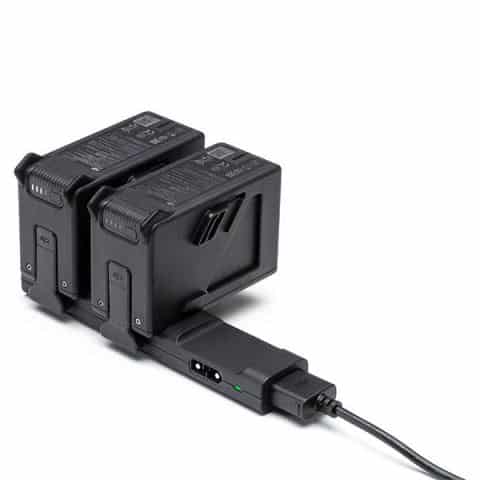
The listing describes each flight battery as supporting roughly 20 minutes of flight. Real FPV flights are often shorter, especially in Sport and Manual modes where you use more power.
Most pilots want at least three batteries for a session. The DJI FPV Fly More Kit adds two batteries and a charging hub, and the DJI FPV Intelligent Flight Battery is available separately.
The learning curve: from first flight to Manual mode
One of the best things about this drone is how it lets you progress at your own pace. A sensible path looks like this.
- Normal mode in an open field. Learn take-off, hover, gentle turns and landing while the drone holds position for you. Get used to the immersive goggle view.
- Practise the emergency brake. At a safe height, press it so you know exactly how the drone reacts. Make it a reflex.
- Sport mode for speed. Fly longer, faster lines and smooth orbits while self-levelling still helps.
- Simulator for acro. Before trying Manual outdoors, spend hours in an FPV simulator using a compatible controller setup.
- Manual mode, high and slow. When you first switch, climb to a safe height in a wide open space so you have room to recover.
- Build tricks gradually. Start with gentle turns and rolls before attempting flips and dives.
Patience is the secret. Pilots who rush into Manual mode usually crash early, while those who build steadily keep their drones intact.
Why simulator time matters
FPV simulators recreate realistic physics, so skills transfer directly to the real drone. Crashes cost nothing, you can practise in any weather, and you can repeat a tricky move dozens of times in a few minutes.
Most experienced FPV pilots say simulator practice was the single biggest factor in learning Manual mode. Even a few weeks of regular sessions makes a noticeable difference to confidence and control.
Getting cinematic shots
FPV footage is at its best when it feels smooth and intentional. These techniques help you get more professional results.
- Fly smooth lines. Gentle, continuous stick movements look far better than sudden corrections.
- Use Sport mode for cinematic passes. It’s fast enough to feel dynamic while still helping keep the drone stable.
- Follow terrain. Flying low along a beach, ridge or road emphasises speed and adds drama.
- Plan reveals. Fly over a dune, through a gap in trees or around a corner to unveil the scene.
- Shoot in good light. The small sensor performs best in bright daylight, especially around golden hour without heavy shadows.
- Keep sessions short and focused. Plan two or three shots per battery rather than flying aimlessly.
Remember the rules, though. Low, fast passes must still keep 30 m from people, and you must not fly over anyone.
Crash repair and maintenance
Every FPV pilot crashes eventually, and the DJI FPV is designed with that in mind. Replaceable parts such as the top shell, landing gear and propellers make minor repairs straightforward.
After every crash:
- Disarm the motors immediately.
- Check the battery for dents, swelling or damage, and stop using it if anything looks wrong.
- Inspect propellers, arms and the camera for cracks.
- Check the gimbal moves freely and the camera image looks normal.
- Review the flight log to understand what happened.
A care plan is especially valuable for FPV, because crashes are a normal part of learning. Keep spare props and parts on hand so a small knock doesn’t end your day.
Battery care and safety
FPV batteries deliver a lot of power and need careful handling.
- Charge batteries on a non-flammable surface and never leave them unattended.
- Let batteries cool after flying before recharging them.
- Store batteries at around half charge if you won’t fly for a while.
- Carry batteries in a protective bag when travelling.
- Retire any battery that is swollen, punctured or damaged.
Safety features
Beyond the emergency brake, this DJI FPV review found several features that help newcomers.
- Return-to-home brings the drone back if the signal is lost or the battery runs low.
- Forward and downward sensing in Normal mode helps avoid obstacles.
- An auxiliary bottom light helps with landing in lower light.
- Low-battery warnings in the goggles keep you informed.
These features don’t make the drone crash-proof, but they reduce the risk of the most common beginner mistakes.
DJI FPV review: pros and cons
Pros
- Complete ready-to-fly kit with drone, goggles and controller
- Normal, Sport and Manual modes for a smooth learning curve
- Emergency brake and hover for peace of mind
- 4K/60fps video with stabilisation
- Clear, low-latency digital goggles
- Goggles compatible with Caddx digital air units
Cons
- Heavier than most hobby FPV quads, so crashes cost more
- Over 250 g, so stricter rules apply near controlled aerodromes
- Small sensor limits low-light video
- Battery life is modest, so extra batteries are needed
Flying the DJI FPV in Australia
FPV is legal for recreational flying in Australia, but goggles stop you seeing the drone directly. CASA requires a competent observer beside you who keeps the drone in sight.
- Fly no higher than 120 m above ground level.
- Keep the drone within visual line of sight of you or your observer.
- Stay 30 m from people and never fly over them.
- Fly during the day only.
- Because the DJI FPV weighs more than 250 g, stay at least 5.5 km from controlled aerodromes.
Check CASA’s drone rules before your first flight. If you’re new to FPV, our guide to what is an FPV drone explains the basics.
Where to fly FPV in Australia
Finding the right place makes FPV safer and more enjoyable. Wide, open spaces away from people are ideal.
- Private land with the owner’s permission gives you room and privacy.
- Model aircraft clubs often have fields where FPV is welcome, plus experienced pilots who can act as observers.
- Open countryside away from roads, homes and livestock works well, as long as you can keep the drone in sight.
- Avoid busy parks and beaches, where staying 30 m from people is difficult.
- Check national park rules, as many parks restrict drones.
Always check for airport proximity and restricted areas using a CASA-verified drone safety app before you fly.
Wind and weather
The extra weight helps this drone handle wind better than lighter quads, but strong gusts still make flying harder, especially in Manual mode. Rain and moisture can damage electronics, so fly only in dry conditions.
Cold weather shortens battery life, while hot days can make batteries and motors run warm. Let the drone and batteries rest between flights in the shade.
Who is the DJI FPV for?
The DJI FPV suits you if you:
- Want to try FPV without building a drone.
- Like the idea of starting in a GPS-assisted mode and progressing to Manual.
- Value an emergency brake while you learn.
- Want 4K/60fps action footage from a fast, immersive drone.
It may not suit you if you:
- Want to fly close to people and objects indoors, where a lighter cinewhoop is safer.
- Mainly want smooth, slow cinematic landscapes, where a camera drone is better.
- Need a sub-250 g drone for the most relaxed rules.
How it compares with a camera drone
It’s worth understanding how an FPV drone differs from a typical GPS camera drone before you buy.
| This FPV drone | GPS camera drone | |
|---|---|---|
| How you fly | Through goggles, first-person | Watching the drone and a screen |
| Typical footage | Fast, dynamic, immersive | Smooth, steady, cinematic |
| Hovering | In Normal mode only | Always, using GPS |
| Observer needed | Yes, when wearing goggles | No |
| Learning curve | Moderate to steep | Gentle |
| Best use | Action, speed, sport and creative shots | Landscapes, real estate, travel and photos |
Many pilots end up owning both: a camera drone for calm, cinematic shots and an FPV drone for energy and excitement.
Alternatives to consider
| Drone | Why consider it |
|---|---|
| iFlight ProTek35 CineWhoop | Ducted props for safer close-up flying |
| iFlight TP X5 HD | Bind-and-fly 5-inch for freestyle |
| iFlight Chimera5 LR HD | Efficient 5-inch for scenic cruising |
| DJI Mini 3 Pro | Sub-250 g camera drone for smooth cinematic shots |
Browse more in our FPV drones range.
Accessories worth adding
- Extra batteries via the Fly More Kit.
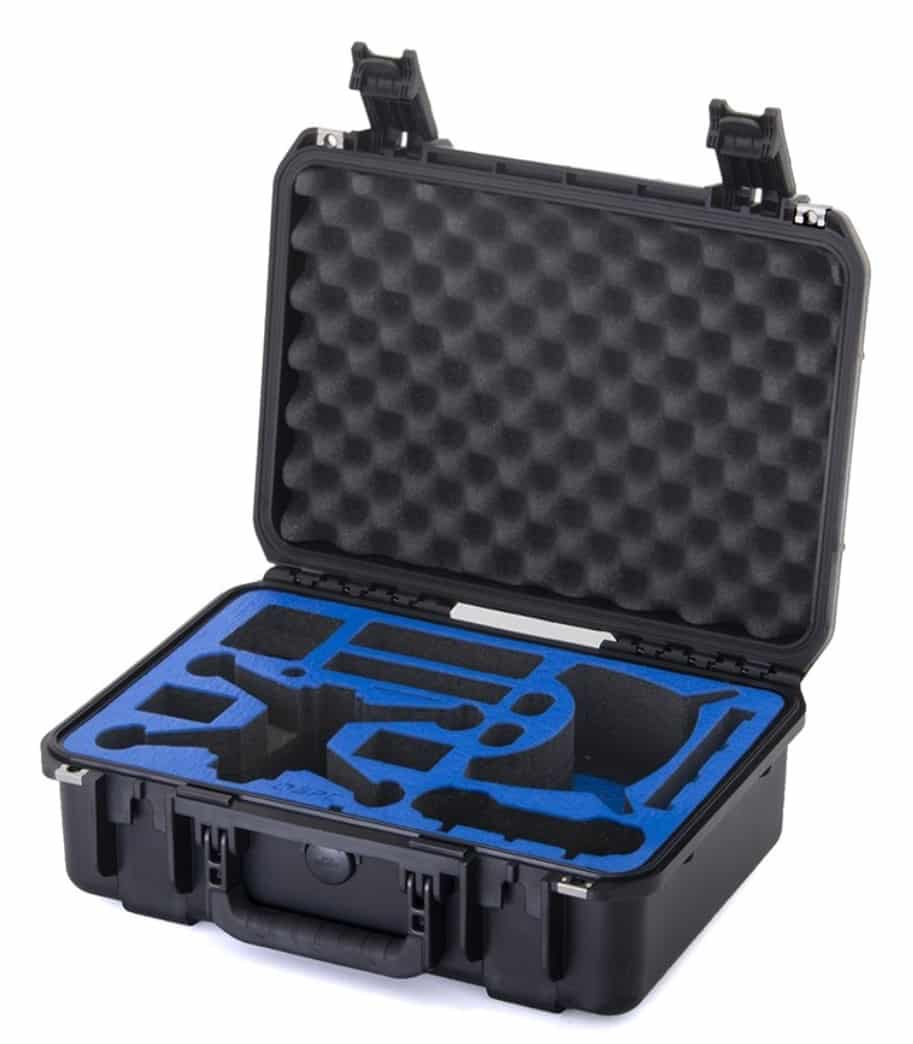
- A hard case such as the GPC Hardcase for DJI FPV.
- Care cover with DJI FPV Care Refresh, useful because FPV drones crash more often.
- Spare propellers for every session.
DJI FPV review FAQ
Is the DJI FPV good for beginners?
Yes, for an FPV drone. Normal mode and the emergency brake make it far more forgiving than a typical FPV quad. Still, practising on a simulator before flying in Manual mode is strongly recommended.
How fast is the DJI FPV?
DJI quotes a top speed of up to 140 km/h in Manual mode. Normal and Sport modes limit speed for easier flying.
How long does the DJI FPV fly?
The listing describes each battery as supporting roughly 20 minutes of flight. Aggressive flying shortens that.
Do I need a licence to fly the DJI FPV in Australia?
Not for recreational flying, but you must follow CASA’s rules, including having an observer keep the drone in sight while you wear the goggles.
Can I use the DJI FPV Goggles V2 with other drones?
Yes. The Goggles V2 are compatible with Caddx digital air units used on many hobby FPV drones.
Is the DJI FPV good for cinematic footage?
Yes, for dynamic, high-speed shots. Its 4K/60fps camera and stabilisation capture immersive action. For slow, sweeping landscapes in low light, a larger-sensor camera drone is the better tool.
What should I buy with the DJI FPV Combo?
Extra batteries, a hard case and a care plan are the most useful additions, along with spare propellers and an FPV simulator for practice.
Is the DJI FPV waterproof?
No. Like most drones, it isn’t designed for rain or water landings. Fly only in dry conditions and avoid flying low over water. For water-based flying, look at our waterproof and fishing drones.
The final word from our DJI FPV review
This DJI FPV review finds a drone that does exactly what it set out to do: make FPV accessible. With a complete kit, three flight modes, an emergency brake and 4K/60fps video, it’s one of the simplest ways to discover first-person flight. Just budget for extra batteries, a care plan and some simulator time.
Explore the DJI FPV Combo, browse our FPV drones range, or visit the drone shop.