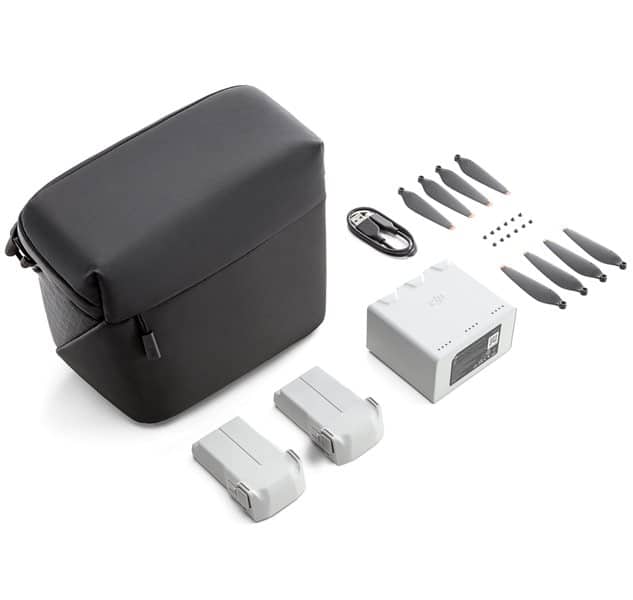
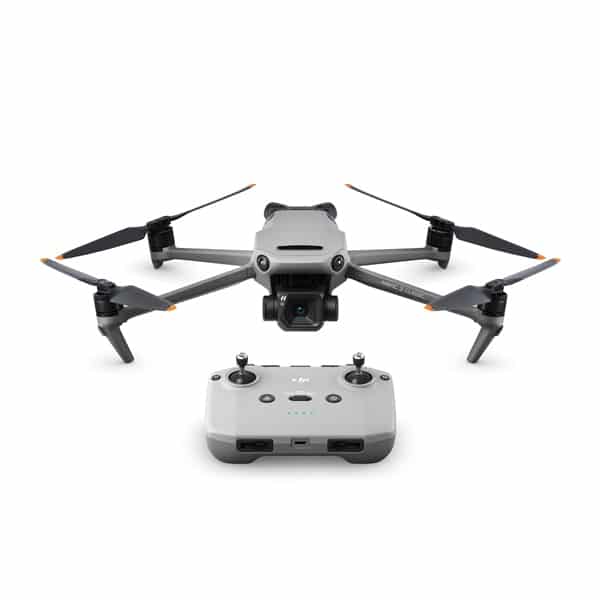
The DJI Mini 4 Pro is a folding camera drone that weighs under 249 g with its standard battery, yet adds omnidirectional obstacle sensing, a 1/1.3-inch sensor and 4K/60fps HDR video. This guide runs through its key specs and features using DJI’s published figures. It also explains who the drone suits and how it compares with the Mini 3 Pro and Mini 2.
Looking to buy a Mini-class drone today? The DJI Mini 4 Pro isn’t sold by Drones Direct, but these drones in our range cover the same ground:
- DJI Mini 3 Pro – the closest match: under 249 g, 1/1.3-inch sensor, 4K/60fps and true vertical shooting.
- DJI Mini 2 Fly More Combo – the lower-cost way into a sub-250 g DJI, with three batteries in the box.
- Autel EVO Nano Plus – a sub-250 g alternative with three-way obstacle sensing.
- DJI Air 2S – a step up to a 1-inch sensor if you don’t need the sub-250 g weight class.
We still cover the Mini 4 Pro in full, because it’s a useful yardstick: comparing it with the drones above shows which features actually matter for the way you fly. For a side-by-side breakdown, read our DJI Mini 3 Pro vs Mini 4 Pro comparison.
DJI Mini 4 Pro at a glance
DJI’s Mini 4 Pro specs page lists the core figures below. Range and flight-time numbers are measured in controlled conditions, so treat them as upper limits rather than everyday results.
- Weight: under 249 g with the standard Intelligent Flight Battery, propellers and a microSD card.
- Camera: 1/1.3-inch CMOS sensor with 48 MP effective pixels, on a three-axis mechanical gimbal.
- Video: 4K at up to 60fps with HDR, 4K/100fps slow motion and Full HD at up to 200fps.
- Colour: 10-bit D-Log M and HLG, plus an 8-bit Normal mode.
- Obstacle sensing: omnidirectional binocular vision, with a 3D infrared sensor underneath.
- Transmission: O4, quoted at up to 20 km under FCC conditions and 10 km under CE.
- Flight time: up to 34 minutes on the standard battery, or 45 minutes on the Intelligent Flight Battery Plus.
- Controllers: DJI RC-N2 and DJI RC 2.
On paper, that is a long feature list for a drone as small as the DJI Mini 4 Pro. The trade-off for the small size is wind handling. DJI rates it for winds up to 10.7 m/s and notes that strong winds may cause slight vibration because the aircraft is so light.
Camera and video features
The camera is the natural place to start. The DJI Mini 4 Pro keeps the same sensor size as the Mini 3 Pro but pairs it with a new image-processing platform. That changes what the drone can do with HDR, slow motion and colour, even though the headline resolution stays at 48 MP.
Sensor and photo modes
The DJI Mini 4 Pro’s 1/1.3-inch CMOS sensor captures 48 MP stills in JPEG or DNG RAW. Photo modes include single shots, burst, automatic exposure bracketing and timed shooting at set intervals. DJI also lists a next-generation SmartPhoto algorithm, simulated long exposures with shutter speeds up to 8 seconds and higher-resolution panoramas than the Mini 3 Pro.
For travel and landscape photographers, RAW files and bracketing give room to recover highlights and shadows in editing. If you mostly share straight to social media, JPEG and SmartPhoto are the simpler choice on the DJI Mini 4 Pro. You can switch to RAW when a scene deserves the extra work.
Video modes and colour profiles
Video tops out at 4K, with frame rates from 24 to 60fps for normal footage and 100fps for slow motion. Full HD runs as high as 200fps. DJI notes that the 4K/100fps mode records in H.265 only, so check that your computer and editing app handle that format before you shoot a lot of it.
Colour options are a real step up for a Mini. Alongside the 8-bit Normal mode, the DJI Mini 4 Pro records 10-bit D-Log M and HLG in H.265. D-Log M is a flat profile designed for colour grading, while HLG is an HDR format for compatible screens. Our guide to choosing a drone with camera explains colour profiles in more depth.
Vertical shooting and Night mode
The gimbal can roll 90°, so the DJI Mini 4 Pro shoots true vertical photos and video without cropping a horizontal frame. That suits creators posting to vertical formats such as Reels, Shorts and Stories. DJI headlines the feature as 4K/60fps HDR True Vertical Shooting, so vertical clips can use the same high-quality video mode.
Night mode on the DJI Mini 4 Pro is a dedicated video mode that DJI says improves low-light performance. It is aimed at dusk scenes, city lights and other situations where a small sensor would normally struggle with noise. As with any low-light footage, a steady hover and slow movements give the best results.
Obstacle sensing and flight safety
Obstacle sensing is the most significant change from earlier Minis. The DJI Mini 4 Pro uses omnidirectional binocular vision covering forward, backward, lateral, upward and downward directions, with a 3D infrared sensor on the bottom. That gives the drone awareness of obstacles all around it, rather than only in front, behind and below.
Omnidirectional sensing in practice
All-round sensing matters most when you fly sideways or backwards, such as when framing a reveal shot or following a subject. DJI pairs it with ActiveTrack 360°, its subject-tracking mode. Sensing is a pilot aid, so keep watching for thin branches, wires and anything the cameras might miss.
Advanced RTH, Waypoint flight and Cruise Control
DJI lists three further flight features. Advanced RTH plans a route back to the home point when you trigger return to home or the signal drops. Waypoint flight lets you set a path and fly it again, which helps with repeat shots of the same scene. Cruise Control holds a steady speed so you can concentrate on framing the shot.
Transmission, controllers and goggles
Live video from the DJI Mini 4 Pro reaches the controller over the O4 transmission system. DJI quotes up to 20 km under FCC conditions and 10 km under CE, SRRC and MIC, measured unobstructed and free of interference. For Australian pilots, the long quoted range matters mainly as headroom for a stable link, because CASA’s conditions require you to keep the drone within visual line of sight.
DJI lists two compatible controllers: the RC-N2, which holds your phone, and the DJI RC 2, which has a built-in screen. The RC-N1 and DJI RC used with the Mini 3 Pro aren’t on that list, so don’t count on reusing a controller from the older model.
For an FPV-style view, the DJI Mini 4 Pro also works with DJI Goggles 2, Goggles Integra and Goggles 3, paired with the RC Motion 2 or RC Motion 3 motion controllers. Goggles don’t change the visual line of sight condition, so check how CASA’s rules apply to goggle flying before you try it.
Flight time and batteries
On the standard Intelligent Flight Battery, DJI quotes up to 34 minutes of flight time for the DJI Mini 4 Pro. The Intelligent Flight Battery Plus extends that to 45 minutes, though DJI notes the Plus battery isn’t sold in Europe. Both figures are measured in ideal conditions, so real flights will be shorter.
The Plus battery comes with a trade-off. With it fitted, the aircraft weighs more than 249 g, and DJI tells pilots to check and follow local flying rules. DJI also warns that extra weight, such as propeller guards or third-party accessories, can reduce propulsion, especially with the Plus battery.
Wind, cold, hard flying and keeping a safe battery reserve all cut usable time. DJI lists an operating range of -10 to 40 °C, and batteries lose capacity towards the cold end. For a full photo session, plan on two or three batteries rather than relying on a single quoted figure.
Who the DJI Mini 4 Pro suits
The DJI Mini 4 Pro makes most sense for pilots who want serious camera features in a very small package. It is a strong fit for:
- Travellers and hikers who want a capable drone that folds into a daypack.
- Content creators who post vertical video and want 4K/60fps HDR without cropping.
- Newer pilots who value all-round obstacle sensing while they build confidence.
- Hobbyists who want to learn colour grading with 10-bit D-Log M footage.
It is less suited to pilots who often fly in strong coastal winds, where a heavier drone usually holds position better. Anyone who needs a larger sensor for paid video work may also look to an Air or Mavic model. If you only want simple holiday clips, the DJI Mini 4 Pro may be more drone than you need.
DJI Mini 4 Pro vs Mini 3 Pro
The Mini 3 Pro is the closest relative, and the two share more than they differ. Both weigh under 249 g with the standard battery, both use a 1/1.3-inch 48 MP sensor and both quote up to 34 minutes on the standard battery. Both gimbals also roll 90° for vertical shooting. The differences come down to processing, sensing and transmission.
- Obstacle sensing: forward, backward and downward on the Mini 3 Pro; omnidirectional on the DJI Mini 4 Pro.
- HDR video: up to 4K/30fps on the Mini 3 Pro; up to 4K/60fps on the DJI Mini 4 Pro.
- Slow motion: 1080p/120fps on the Mini 3 Pro; 4K/100fps on the DJI Mini 4 Pro.
- Colour: D-Cinelike on the Mini 3 Pro; 10-bit D-Log M and HLG on the DJI Mini 4 Pro.
- Transmission: O3 at up to 12 km (FCC) on the Mini 3 Pro; O4 at up to 20 km (FCC) on the DJI Mini 4 Pro.
- Plus battery: up to 47 minutes on the Mini 3 Pro, against 45 minutes on the newer drone.
DJI’s Mini 4 Pro FAQ lists these upgrades, along with Night mode and the 8-second simulated long exposure. If all-round sensing and the extra colour and slow-motion options matter to you, they are the reasons to choose the DJI Mini 4 Pro.
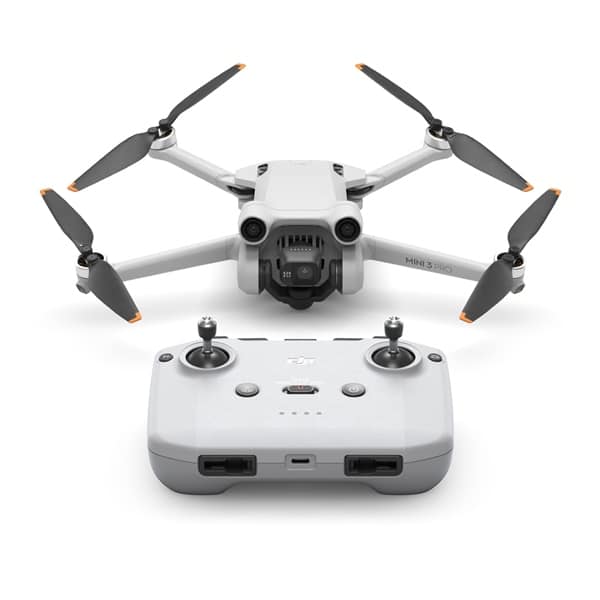
If your priority is the 1/1.3-inch sensor and vertical shooting in a sub-250 g body, the DJI Mini 3 Pro already delivers both. It also offers FocusTrack, MasterShots and QuickShots. Accessories in our range include the Mini 3 Pro Fly More Kit, the Fly More Kit Plus and a fitted Nanuk 915 case.
How it compares with the Mini 2
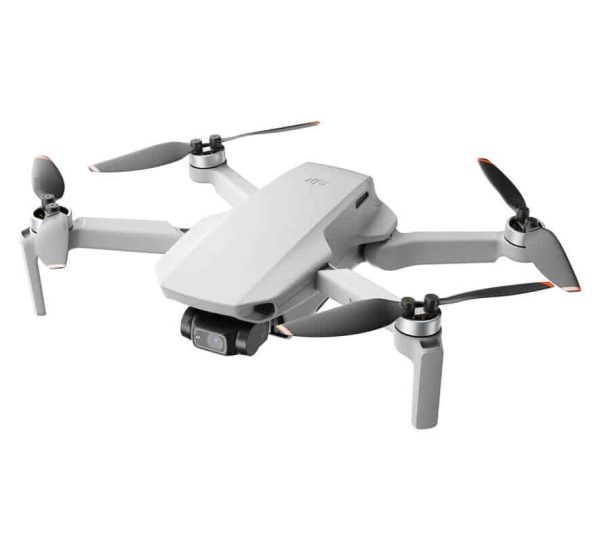
The Mini 2 is a simpler, earlier design, and the gap to the DJI Mini 4 Pro is wide. The Mini 2 uses a 1/2.3-inch 12 MP sensor and records 4K at up to 30fps. It has no obstacle avoidance, only downward sensing for hovering. Its OcuSync 2.0 link is quoted at 10 km under FCC conditions, and DJI lists 31 minutes of flight time.
What the Mini 2 does offer is the same under-249 g class with the standard battery, RAW photos and a three-axis gimbal in a straightforward package. For learning basic stick skills, the DJI Mini 2 or the Mini 2 Fly More Combo is a sensible start. Our best budget drones guide compares it with other entry-level picks.
As a guide, the Mini 2 sits under $1,000 and the Mini 3 Pro between $1,000 and $1,500 in our range. Prices change, so check each product page for the current price. Choose the DJI Mini 4 Pro over the Mini 2 if obstacle sensing, low-light video and colour profiles matter. Choose the Mini 2 if you want a simple, light drone to learn on.
What to check before you buy
A sub-250 g drone still needs some planning around it. Before you commit to the DJI Mini 4 Pro or any alternative, run through these points:
- Controller: the RC-N2 uses your phone as the screen, while the DJI RC 2 has its own built-in display.
- Battery choice: the Plus battery adds flight time but takes the aircraft over 249 g.
- Spare batteries and charging: one battery rarely covers a full session.
- Storage: the drone has 2 GB of internal storage, so budget for a microSD card.
- Protection: a fitted hard case and, where available, a DJI Care Refresh plan for accidental damage.
Our drone buying checklist covers combos, grey imports and accessories in more detail. For background on the brand’s other families and its Care Refresh plan, see our guide to DJI drones.

Alternatives in the Drones Direct range
If the DJI Mini 4 Pro’s feature list appeals but you would like a model from our range, these are worth comparing:
- DJI Mini 3 Pro: the same sensor size and weight class, with forward, backward and downward sensing.
- Mini 2 Fly More Combo: a simpler 4K drone for learning the basics.
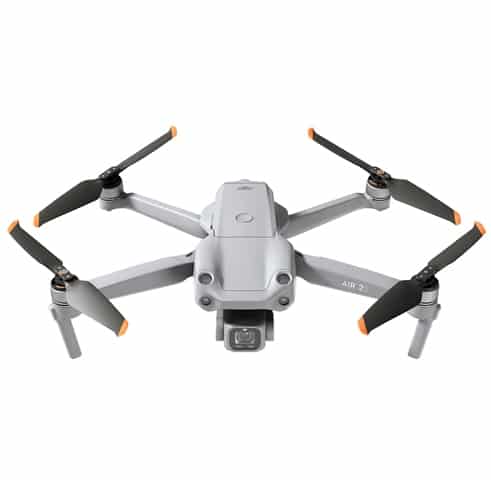
- DJI Air 2S: a 1-inch sensor and 5.4K video in a larger folding body.
- Mavic 3 Classic: a Hasselblad 4/3 CMOS camera and omnidirectional obstacle sensing.
- Autel EVO Nano and EVO Nano Plus: compact folding drones from Autel Robotics.
You can browse them all in Camera Drones, or filter the full shop by price range and sort the results. Every product can be added to the cart and bought through a secure checkout, with shipping calculated from your delivery address before you pay. The team is on live chat if you want help weighing these models against the DJI Mini 4 Pro.
Flying a Mini in Australia
Whatever drone you fly for fun, CASA’s standard operating conditions apply. In short:
- Fly no higher than 120 metres above ground level.
- Keep at least 30 metres from other people.
- Keep the drone within visual line of sight, and fly one drone at a time.
- Don’t fly over or above people, or in populous areas such as beaches, parks and sporting events.
- Stay away from emergency operations, and respect other people’s privacy.
Use a CASA-verified drone safety app to see where you can fly, and read the full CASA drone rules before your first flight. Flying the DJI Mini 4 Pro or any other drone for work or business is different. CASA has extra registration and accreditation requirements for that, so check them on the CASA site first. Our beginner’s guide to drones covers the basics.
Frequently asked questions
How much does the DJI Mini 4 Pro weigh?
DJI lists a take-off weight under 249 g with the standard Intelligent Flight Battery, propellers and a microSD card. Fitting the Intelligent Flight Battery Plus takes it over 249 g, and DJI advises pilots to check and follow local rules in that case. In Australia, the CASA website is the place to check how the rules apply to your flying.
Is the DJI Mini 4 Pro good for beginners?
It is approachable for new pilots. Omnidirectional obstacle sensing, Advanced RTH and a light, folding design all help while you learn. It is still worth practising basic stick skills in an open area, because sensors can miss thin branches and wires. If you want a simpler first drone, the Mini 2 covers the basics.
What is the main difference from the Mini 3 Pro?
Obstacle sensing and video processing. The DJI Mini 4 Pro senses obstacles in every direction, records HDR at 4K/60fps rather than 4K/30fps, adds 4K/100fps slow motion and offers 10-bit D-Log M and HLG. It also moves from O3 to O4 transmission. Sensor size, weight class and standard-battery flight time are the same.
How far can the DJI Mini 4 Pro fly from the controller?
DJI quotes up to 20 km of O4 transmission range under FCC conditions and 10 km under CE, measured in open, interference-free conditions. Those figures describe the radio link, not how far you should fly. In Australia, CASA’s conditions require you to keep the drone within visual line of sight, which is a much shorter distance.
Which Mini in the Drones Direct range is closest to the Mini 4 Pro?
The Mini 3 Pro. It shares the 1/1.3-inch 48 MP sensor size, the under-249 g weight class with the standard battery and vertical shooting. It has forward, backward and downward obstacle sensing rather than all-round coverage, and it uses O3 transmission. If those differences don’t matter to you, it covers the essentials.
The DJI Mini 4 Pro packs omnidirectional sensing, strong video modes and O4 transmission into a sub-250 g body. If those features fit your flying, it is a capable choice. If the Mini 3 Pro, Mini 2 or a larger Air or Mavic suits you better, compare them in our camera drone range before you decide.