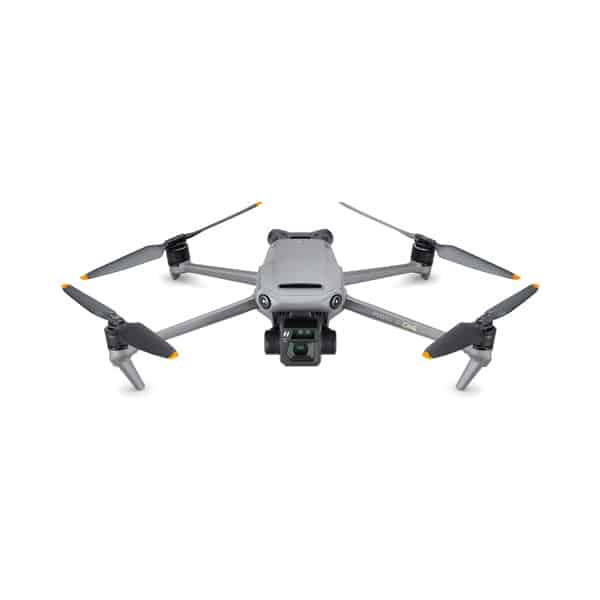
Choosing a drone with camera features that match what you actually shoot matters far more than chasing the highest number on the box. A 4K label tells you very little on its own. Sensor size, frame rates, gimbal design, colour profiles and photo modes decide whether your footage looks smooth, sharp and natural, or flat, noisy and shaky. This guide explains each feature in plain terms, then matches them to common uses.
We’ll use real examples from the Drones Direct range throughout, from sub-250 g minis to aircraft built for filmmaking and inspection work. If you’re completely new to flying, start with our beginner’s guide to how drones work. Then come back here before you settle on a drone with camera features to match your plans.
Start with what you want to shoot
Before comparing spec sheets, be clear about the end result. Holiday clips for social media, property photos, wedding films, fishing footage and roof inspections all reward different strengths. Picking a drone with camera hardware sized to the job keeps the aircraft light and simple to use. It also means you won’t be caught short when the light fades or the wind picks up.
A useful exercise is to list the three shots you most want to capture. Then note where they’ll end up: a phone screen, a website, a big TV or a client’s editing suite. Footage for social media can come from a small drone with camera specs that are modest by professional standards. Work that will be graded, cropped or printed large calls for a bigger sensor and more professional recording options.
Sensor size: the spec that matters most
The image sensor is the part that turns light into a picture, and its physical size has the strongest effect on image quality. A larger sensor gathers more light, so it produces cleaner images at dawn, dusk and in shade. It also captures a wider dynamic range, which means more detail in bright skies and dark shadows in the same frame. That’s why sensor size is the first line to check on any drone with camera specs you’re comparing.
Common sensor sizes in the range
Sensor sizes use a confusing inch format, but the order is easy to follow. A smaller number under the slash means a larger sensor, so 1/1.3-inch is bigger than 1/2.3-inch. From small to large, with examples from the range:
- 1/2.3-inch: the DJI Mini 2 and the older DJI Mavic Mini.
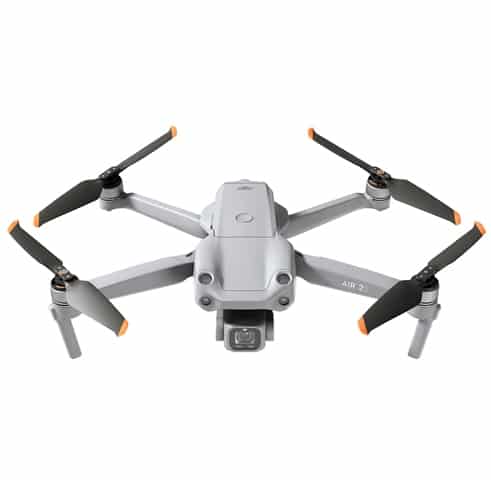
- 1/2-inch: the DJI Mavic Air 2 and the 48 MP Autel EVO II 8K V2.
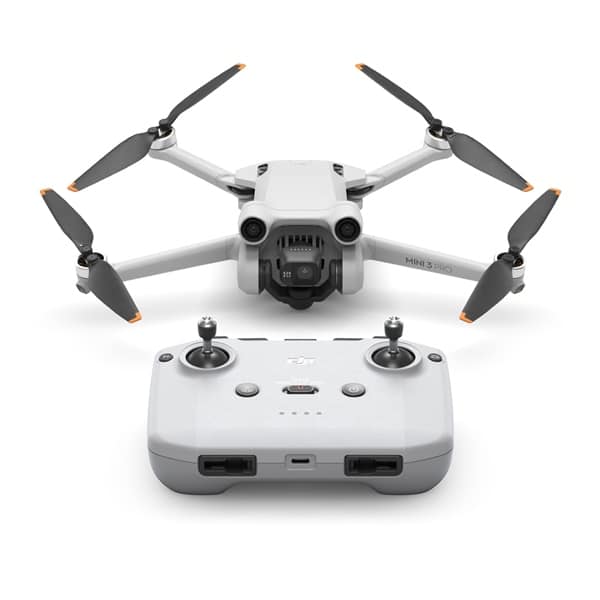
- 1/1.3-inch: the DJI Mini 3 Pro, a big step up for a sub-250 g aircraft.
- 1-inch: the DJI Air 2S, the Autel EVO II Pro 6K V2 and the older DJI Mavic 2 Pro.
- 4/3 (Four Thirds): the DJI Mavic 3 Classic and Mavic 3 Cine, with Hasselblad-branded cameras.
Megapixels versus sensor size
A higher megapixel count isn’t automatically better. Packing 48 million pixels onto a small sensor makes each pixel tiny, so those images can look noisy in low light. Many such sensors combine groups of pixels into a lower-resolution image when light is limited. When you compare any drone with camera resolution figures, check the sensor size next to the megapixels, not just the bigger number.
Video resolution: 4K and beyond
Resolution is the number of pixels in each video frame. Full HD is 1920 by 1080 pixels, and 4K is roughly four times that. Most folding camera models now shoot at least 4K, so the real question when choosing a drone with camera resolution in mind is whether you need more. Higher resolutions such as 5.1K, 5.4K, 6K and 8K give you extra room in editing.
Across the range, the DJI Mini 2 records 4K, the DJI Air 2S goes up to 5.4K, and the Mavic 3 Classic records 5.1K. The Autel EVO II Pro 6K V2 and EVO II 8K V2 reach the resolutions in their names. For most viewers on a phone or TV, a drone with camera output in clean 4K from a good sensor beats noisy 8K from a small one.
Why shoot above your final resolution
Recording above your delivery resolution has practical benefits. You can crop in to tighten a composition, straighten a horizon or apply software stabilisation without the result looking soft. The trade-off is larger files, so a drone with camera modes above 4K needs faster memory cards, more storage space and a capable computer for editing.
Frame rates and slow motion
Frame rate is how many images the camera records each second. A drone with camera support for higher frame rates gives you smoother motion and the option of slow motion. As a rough guide, 24 or 25 frames per second gives a film-like look, 30 suits everyday clips, and 50 or 60 handles fast movement more smoothly.
Higher rates such as 100 or 120 frames per second can be slowed down in editing for dramatic slow motion. DJI lists frame rates of up to 120 per second in 4K for the Mavic 3 Classic, and up to 200 per second in Full HD. Check the full frame-rate table for any drone with camera specs on your list, because the fastest settings are often limited to lower resolutions.
Frame rates and Australian lighting
Australia’s mains power runs at 50 hertz, so some indoor and street lights flicker at a rate a camera can pick out. Filming at 25 or 50 frames per second usually avoids visible flicker under those lights. If your drone with camera settings offer those rates, use them indoors and at night.
Gimbals and stabilisation
A gimbal is the motorised mount that holds the camera level while the aircraft tilts, turns and shakes in the wind. When you shortlist a drone with camera stabilisation in mind, the type of gimbal tells you a lot about how steady your shots will be.
Three-axis and single-axis gimbals
A three-axis gimbal corrects tilt, roll and pan, so the horizon stays level and the view stays steady. Folding camera models such as the Mini 2, Mini 3 Pro, Air 2S and Mavic 3 Classic all use one. The DJI FPV Drone uses a single-axis gimbal combined with electronic stabilisation, which suits fast, immersive flying rather than slow, precise framing.
Vertical shooting
Social platforms favour portrait video, and cropping a landscape clip throws away much of the frame. The Mini 3 Pro’s gimbal can rotate the camera for true vertical shots, so you capture portrait photos and video at full sensor width. If most of your clips end up on phones, a drone with camera rotation like this saves time and keeps more detail.
Colour profiles, bit depth and HDR
Colour settings decide how much freedom you have when editing. A standard colour profile produces bright, punchy footage that looks good straight from the camera. Flat or log profiles record a deliberately dull image that keeps more highlight and shadow detail, ready for colour grading later. A drone with camera profiles of both kinds lets you choose per flight.
Normal, flat and log profiles
DJI calls its flat profiles D-Cinelike and D-Log, and Autel uses A-Log. The Mavic 3 Classic offers Normal, HLG, D-Log and D-Log M colour modes. HLG, or hybrid log gamma, is designed to play back directly on HDR-capable screens. Log footage needs grading before it looks right, so on any drone with camera settings like these, save log for clips you’re prepared to edit.
8-bit and 10-bit colour
Bit depth sets how many shades of each colour the camera can record. 8-bit video stores 256 levels per colour channel, while 10-bit stores 1,024. That extra range makes smooth gradients, such as a sunset sky, far less likely to show banding after grading. The DJI Air 2S and Autel EVO II Pro 6K V2 both offer 10-bit log recording for this reason.
HDR and exposure bracketing
High dynamic range modes help with scenes that mix very bright and very dark areas, such as a sunlit house with deep shade under the eaves. For stills, many models offer automatic exposure bracketing, which captures several frames at different exposures for blending later. On a drone with camera sensors at the smaller end, these modes make a noticeable difference to harsh midday shots.
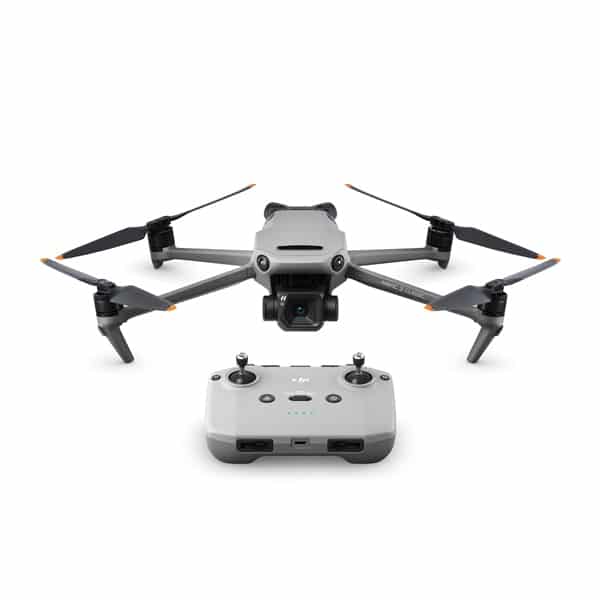
Photo modes on a drone with camera
Stills features vary more between models than video features do, and they’re easy to overlook on a spec sheet. If photography matters to you, look beyond the megapixel figure. These are the modes to check on each drone with camera you shortlist:
- RAW files: DNG files keep far more data than JPEGs for editing. The Mavic 3 Classic and Mini 2 both shoot RAW.
- High-resolution stills: the Mini 3 Pro can shoot 48 MP photos for extra detail in good light.
- Exposure bracketing: several frames at different exposures, blended into one balanced image.
- Panoramas: the aircraft shoots and stitches a series of frames, and DJI lists panoramas for the Mini 2.
- Hyperlapse and timelapse: clouds, traffic or tides compressed into a few seconds of moving footage.
- Automated sequences: DJI MasterShots on the Air 2S flies a series of moves and turns them into a short clip.
Lens, aperture, zoom and filters
Most compact camera aircraft have a fixed aperture, so exposure is controlled through shutter speed and ISO alone. Larger models such as the Mavic 3 Classic and Autel EVO II Pro 6K V2 have an adjustable aperture, which DJI lists as f/2.8 to f/11 for the Mavic 3 Classic. A drone with camera aperture control gives you more options in harsh Australian sun.
Zoom
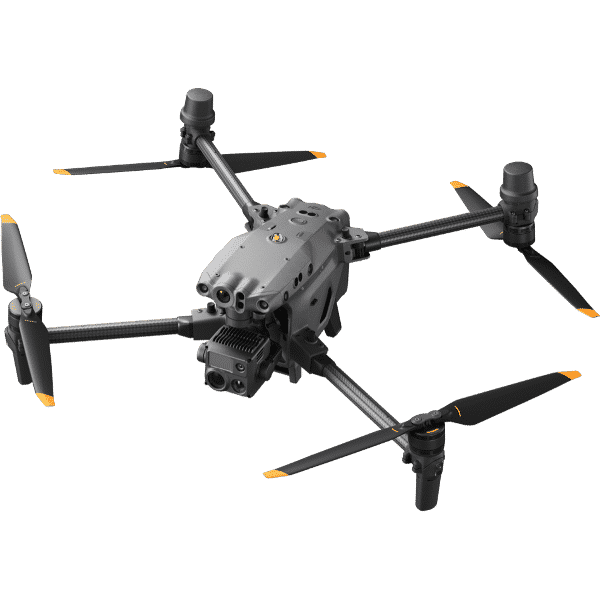
Digital zoom crops into the sensor, so on a drone with camera zoom of this type, image quality drops the further you go. DJI lists 4x zoom for the Mini 2, which is handy for framing but not a substitute for optical zoom. The Mavic 3 Cine adds a second telephoto camera that the Mavic 3 Classic doesn’t have. Enterprise aircraft such as the DJI Matrice 30T carry dedicated zoom cameras for inspecting detail from a safe distance.
ND filters
Neutral density filters work like sunglasses for the lens. They cut incoming light so you can use a slower shutter speed in bright conditions, which gives video natural motion blur. A common rule of thumb is a shutter speed around double the frame rate, such as 1/50 second at 25 frames per second. The range includes Autel EVO II Pro ND Filters and a DJI Mavic 2 Pro ND Filters Set.
Tracking and automated flight modes
Automated modes let a solo pilot capture shots that would otherwise need two people: one flying and one framing. Subject tracking, such as DJI ActiveTrack on the Mini 3 Pro, follows a person, car or boat while keeping it in frame. Preset moves such as orbits and pull-backs produce smooth clips with a single tap.
Tracking often means the aircraft flies sideways or backwards, so obstacle sensing matters. DJI lists omnidirectional obstacle sensing for the Mavic 3 Classic, while lighter models usually sense in fewer directions. Before relying on any drone with camera tracking, check which directions its sensors cover and plan those shots in open areas.
Storage, transmission and the live view
High-resolution, high-bitrate video fills memory cards quickly and needs fast write speeds. Check the manufacturer’s recommended card list, because a slow card can stop recording mid-clip. The DJI Mavic 3 Cine Premium Combo adds built-in SSD storage and Apple ProRes recording, a format widely used in professional editing. Files from a drone with camera recording in ProRes are very large, so plan for plenty of drive space.
The live view on your phone or controller is a compressed preview, not the recorded file. A strong, clear video link still matters, because it’s how you judge framing, focus and exposure in the moment. Controllers with a built-in screen, such as the DJI RC supplied with the Mavic 3 Classic (with DJI RC), save mounting a phone before each flight.
Matching a drone with camera to how you’ll use it
The examples below come from the Drones Direct range, grouped by the kind of footage people most often want. Many models suit more than one job, so treat the groups as starting points, then check each product page for the full camera specifications.
Travel and social media
For travel, look for a light drone with camera rotation for vertical clips. The DJI Mini 3 Pro weighs under 249 g according to DJI’s Mini 3 Pro page, and its rotating gimbal is built for exactly that. The DJI Mini 2 is a simpler 4K option. Our best budget drones roundup covers entry-level picks, and our DJI Mini 4 Pro guide compares that model with the Minis in our range.
Property, landscapes and stills
Bigger sensors, RAW files and bracketing make the difference for property and landscape work. A drone with camera hardware like the 1-inch sensor in the DJI Air 2S or the 4/3 sensor in the Mavic 3 Classic captures cleaner skies and shadows. Paid property shoots count as work flying, and CASA has extra registration and accreditation requirements, so check the CASA drone rules first.
Filmmaking and paid video
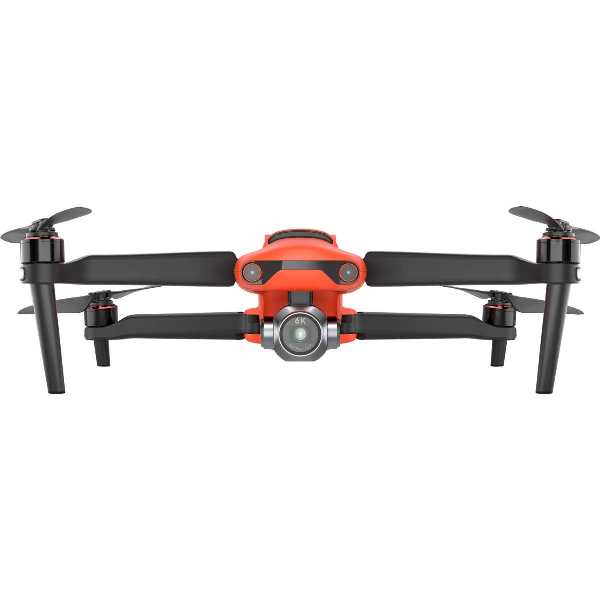
For serious video work, look for a drone with camera support for 10-bit log recording, high frame rates, an adjustable aperture and robust file formats. The Mavic 3 Cine Premium Combo suits crews who edit in ProRes. The Autel EVO II Pro 6K V2 pairs a 1-inch sensor with 6K recording, and the range also includes Rugged Bundle versions of the EVO II Pro.
Action, FPV and 360 footage
Fast, immersive footage comes from FPV aircraft. The DJI FPV records 4K video at up to 60 frames per second, and the FPV Drones category also has iFlight digital HD quads. The Antigravity A1 360 8K Drone Explorer Bundle captures 360-degree video you can reframe after the flight. The Insta360 Sphere is a 360 camera that mounts on a DJI drone.
Water, fishing and inspection
In the Waterproof & Fishing Drones range, the SwellPro SplashDrone 3+ comes with the GC3 4K Camera or with PL3 and PL4 camera payload releases. For work, the Enterprise Drones range adds thermal and zoom aircraft, plus the DJI Mavic 3 Multispectral for crop health. Below the surface, our cheap underwater drone with camera guide covers entry-level ROVs.
Drone camera questions
Is 4K enough on a drone with camera?
For most people, yes. 4K looks sharp on phones, laptops and TVs, and it’s what most online platforms display. Higher resolutions such as 5.1K, 5.4K and 6K mainly help with cropping, reframing and stabilising in editing.
Does a bigger sensor always mean better footage?
A bigger sensor usually means cleaner low-light images and more dynamic range, but it isn’t the whole story. Lens quality, bitrate, colour profiles and stabilisation all play a part, and so does the skill of the pilot. Bigger sensors also mean bigger, heavier aircraft. A small drone with camera hardware you carry everywhere may capture more good shots than a large one left at home.
Do I need a log colour profile?
Only if you plan to colour grade your footage. Log profiles such as D-Log and A-Log record a flat image that keeps more highlight and shadow detail, but they look dull until edited. If you want clips ready to share straight away, a normal profile is quicker. HLG is a middle path for footage played back on HDR-capable screens.
Do I need ND filters for drone video?
They’re strongly worth having for video on bright days, especially on any drone with camera exposure limited to shutter speed and ISO. Without them, the camera uses very fast shutter speeds, which can make motion look choppy. A set of filters lets you keep the shutter near double your frame rate for smoother movement.
Which camera features matter most for a first drone?
Focus on the basics: a reasonable sensor size, a three-axis gimbal and clean 4K video at 30 or 60 frames per second. Simple automated shots and RAW photos are useful extras. Log profiles, ProRes and very high frame rates can wait until you’re editing regularly. A first drone with camera features like these is easy to learn on and still produces footage worth keeping.
Finding the right camera for your flying
The right camera depends on what you shoot, where it will be seen and how much editing you want to do. When you compare any drone with camera specs, start with sensor size, then check frame rates, gimbal type and colour options against your plans. Browse the Camera Drones range, read our DJI brand guide, and ask the team on live chat if you have questions.