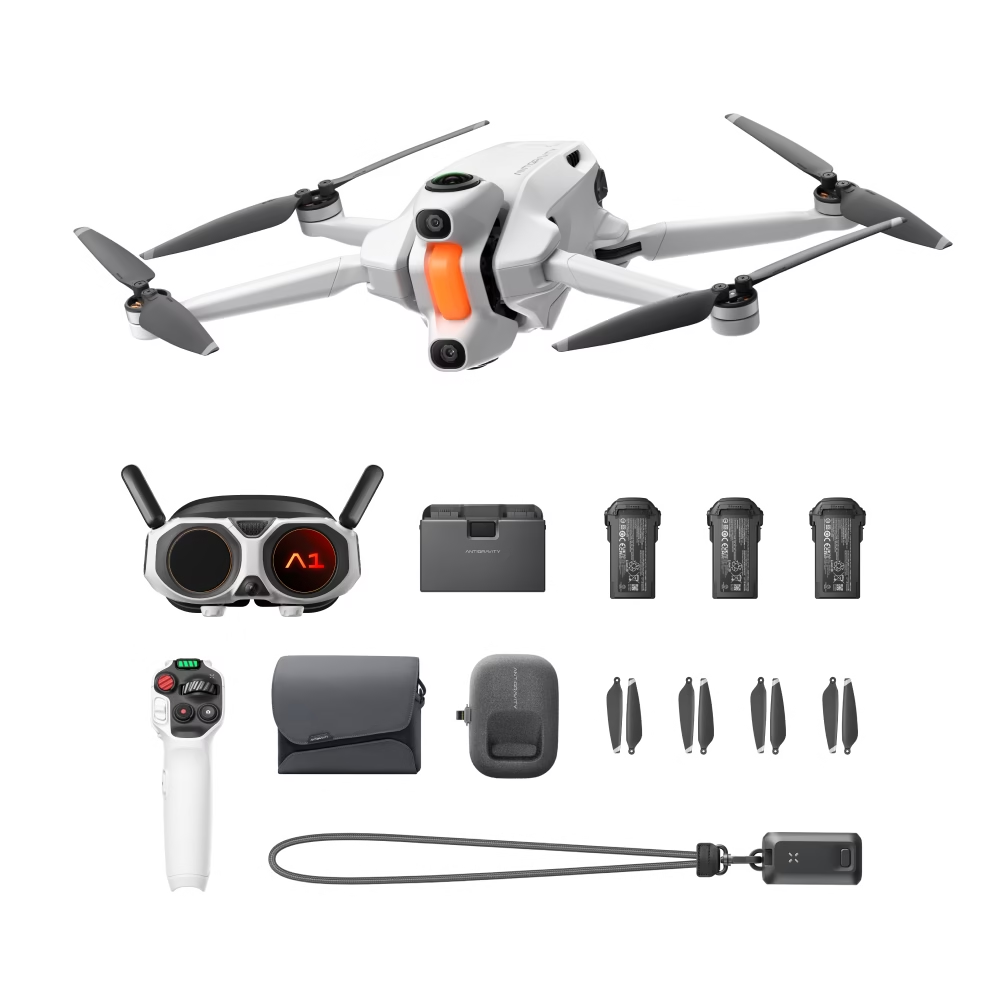
This Antigravity A1 review looks at one of the most unusual drones on the market: a compact 8K 360 drone flown through goggles. Instead of pointing a camera in one direction, the Antigravity A1 records everything around it, so you can choose your framing after the flight. It’s a genuinely different way to capture aerial footage.
In this Antigravity A1 review we cover the 360 camera concept, the goggles and Grip controller, weight and flight time, how it compares with traditional camera drones and the Australian rules for flying it. Specifications come from the product listing, and you can find the drone in the Drones Direct range as the Antigravity A1 Explorer Bundle.
Antigravity A1 review: the quick verdict
The Antigravity A1 is a creative, immersive 360 drone that frees you from planning every camera move in the air. Fly through the goggles, capture the whole scene in 8K 360, then reframe sweeping, cinematic shots at home. At 249 g with the standard battery it sits in the sub-250 g class, though flying with goggles means you’ll need an observer under Australian rules.
| Summary | |
|---|---|
| Best for | Creators, travellers and anyone who wants immersive 360 aerial footage |
| Camera | 8K 360 capture, reframed after flight |
| Weight | 249 g (standard battery), 291 g (high-capacity battery) |
| Flight time | Around 22 min (standard), around 35 min (high-capacity) |
| Control | Vision Goggles and Grip remote |
| Wind resistance | 10.7 m/s (Level 5) |
How a 360 drone is different
Traditional camera drones point a gimbal camera in one direction. You plan the shot, fly it carefully and hope you got the framing right.
A 360 drone like the Antigravity A1 records a full sphere around the aircraft. In editing, you choose where to look, track subjects and create smooth camera moves, even if you didn’t fly them perfectly. It’s the same idea that made 360 action cameras so popular, now taken into the sky.
Camera and image quality
The headline of any Antigravity A1 review is the 8K 360 capture. Because the resolution is spread across the whole sphere, reframed flat videos look closer to high-quality HD or 4K, which is ideal for social media, travel films and YouTube.
The real benefit is creative freedom. You can pull out sweeping reveals, orbits and tracking shots from a single flight, or create effects like tiny planets that a traditional drone can’t capture.
Vision Goggles and Grip controller
The Antigravity A1 is flown through Vision Goggles, giving an immersive, first-person feel that a phone screen can’t match. The listing describes the Grip remote as weighing approximately 115 g, so it’s light to hold during long sessions.
Flying through goggles changes the experience: it feels more like exploring than operating a camera. It also triggers an important Australian rule, covered below.
Weight and flight time
At 249 g with the standard flight battery, the Antigravity A1 sits in the sub-250 g weight class. The listing quotes around 22 minutes of flight with the standard battery and around 35 minutes with the high-capacity battery, which brings the weight to 291 g.
As with other drones, the heavier battery takes it out of the micro weight class, so it must follow the rules for drones over 250 g, such as staying 5.5 km from controlled aerodromes.
Speed, wind and handling
The listing quotes maximum horizontal speeds of 16 m/s in Sport mode, 12 m/s in Normal mode and 3 m/s in Cine mode, with wind resistance of 10.7 m/s (Level 5). Cine mode’s slow speed suits smooth filming, while Sport mode gives more pace in open spaces.
Like any lightweight drone, it’s affected by strong gusts, so fly lower and return earlier on windy days.
Weather and conditions
Lightweight drones are sensitive to wind, and the listing rates the A1’s wind resistance at 10.7 m/s (Level 5). On gusty days, fly lower, keep the drone closer and return with a generous battery reserve. Avoid rain and fog, which reduce visibility and can damage electronics.
The listing gives an operating temperature range of -10°C to 40°C. On hot Australian days, rest batteries and the drone in the shade between flights, and keep batteries warm before flying in the cold.
Editing 360 drone footage
360 drone footage is edited by reframing: choosing the angle, zoom and motion after the flight. This workflow will feel familiar to anyone who uses a 360 action camera.
- Import your footage into the editing app.
- Choose a subject or direction to follow.
- Add keyframes to create smooth pans, tilts and reveals.
- Export as a standard flat video for sharing.
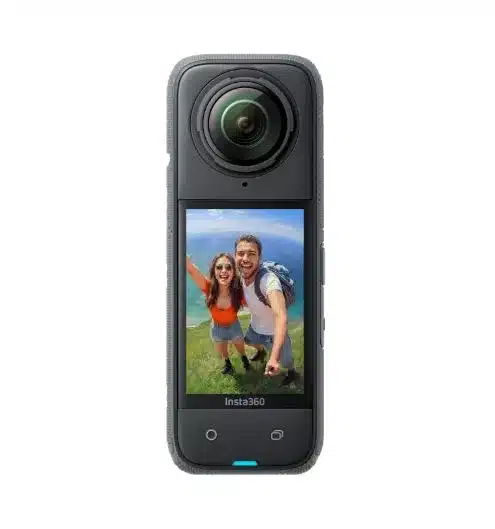
If you already use an Insta360 X4 or other 360 camera, you’ll find the creative approach very similar.
Understanding 360 resolution
8K sounds enormous, but 360 resolution works differently from a normal camera. The pixels are spread across the full sphere around the drone. When you reframe a section into a standard 16:9 video, you’re using only part of that sphere, so the result looks closer to high-quality HD or 4K.
That’s why higher 360 resolutions make such a visible difference. More pixels across the sphere means sharper reframed clips, especially when you zoom in on a subject or crop for vertical social video.
Flight modes explained
The listing describes three speed modes, each suited to a different style of flying.
| Mode | Maximum horizontal speed | Best for |
|---|---|---|
| Cine (C) | 3 m/s | Slow, smooth, cinematic footage |
| Normal (N) | 12 m/s | Everyday flying and exploring |
| Sport (S) | 16 m/s | Faster flying in wide open spaces |
Speeds are manufacturer figures measured in controlled, windless conditions. For most filming, Cine and Normal modes produce the smoothest results.
Using the goggles comfortably
Goggle flying is immersive, but it takes a little getting used to. Start with short sessions, adjust the fit so the image is sharp, and take breaks if you feel tired. Sit or stand somewhere stable with your observer beside you, and remove the goggles to check your surroundings before landing.
If anyone nearby is curious, let them watch through the goggles while you hover safely. It’s a great way to share the experience.
Travelling with the Antigravity A1
The compact, folding design makes it easy to pack. Carry spare batteries in your cabin luggage when flying with an airline, pack the goggles and controller in a padded case, and check drone rules at your destination before you fly.
Creative shots to try with a 360 drone
The beauty of 360 capture is that one flight can produce many different shots. Try these ideas.
- The reveal: fly forward over a dune, ridge or tree line, then reframe to look down as the landscape opens up.
- The orbit: fly a slow circle around a landmark, then choose the angle that keeps it centred.
- The tiny planet: climb straight up and convert the footage into a spherical “planet” effect.
- The follow: fly behind a friend walking or cycling, then track them in editing.
- The look-back: fly away from a scene and reframe to look behind the drone at what you’ve left.
- Seamless transitions: spin the view between clips for dynamic edits.
Because the camera sees everything, you can try each idea from the same footage, then pick the best.
Tips for your first flights
- Read the manual and update firmware before your first flight.
- Practise in Cine or Normal mode in a large open space.
- Bring an observer to keep the drone in sight while you wear the goggles.
- Keep flights short at first so you can get used to the goggle view.
- Fly slowly and smoothly. Slow, steady movement produces the best reframed footage.
- Review your footage after each session to learn what works.
Where to fly a 360 drone
Open landscapes, coastlines and scenic lookouts make spectacular 360 footage, because there’s interest in every direction. Choose places where you can keep 30 m from people and where drones are allowed. Many national parks restrict drones, so check before you go.
Our guide to where can I fly my drone explains how to check airspace and land manager rules.
Battery and charging tips
- Charge batteries fully before each outing and carry spares for longer sessions.
- Let batteries cool after flying before recharging.
- Store batteries at around half charge if you won’t fly for a while.
- Keep batteries warm in cold weather to protect flight time.
- Remember that the high-capacity battery moves the drone above 250 g.
Memory cards and storage
8K 360 footage creates large files, so storage planning matters. The listing notes support for microSD cards up to 1 TB. Use a fast, reputable card, format it in the drone before each trip, and back up footage regularly, especially when travelling.
Care and maintenance
360 cameras have exposed lenses, so protecting them is important. Clean the lenses with a microfibre cloth before each flight, avoid landing on sand or dusty ground and store the drone in its case. Check propellers for damage and keep firmware up to date.
Who should consider alternatives?
If you mainly want still photos, mapping or ready-to-share footage, a traditional gimbal drone may suit you better. Our mini drone guide compares sub-250 g camera drones, and our best drone for beginners guide covers easy first drones.
Uses beyond travel videos
While travel and adventure footage are the obvious uses, a 360 drone opens up other creative and practical possibilities.
- Real estate and venues: immersive aerial views of properties and their surroundings, within the rules for commercial flying.
- Events and celebrations: capture the whole setting from above, while staying 30 m from guests and never flying over them.
- Outdoor sports: follow surfers, mountain bikers or kayakers and reframe the action later, keeping the required distance from people.
- Social media content: vertical crops from 360 footage make eye-catching reels and shorts.
- Virtual experiences: spherical footage can be viewed interactively, letting viewers look around the scene.
Remember that flying for business, such as filming for clients, requires drone registration and at least an RPA operator accreditation. Our drone licence guide explains the requirements.
Common mistakes with 360 drone footage
- Flying too fast. Quick movements make reframed footage feel jerky.
- Forgetting the whole scene is recorded. Everything around you is captured, so be mindful of privacy and what’s in the background.
- Dirty lenses. Smudges can’t be cropped out of 360 footage.
- Skipping the edit plan. Know which moments you want before you start reframing to save time.
- Ignoring the observer rule. Always fly with an observer when using goggles.
Accessories worth considering
To get the most from your 360 drone, consider spare and high-capacity batteries, a fast high-capacity microSD card, a protective case and a landing pad. Keeping lens cleaning cloths in your kit is also essential for crisp footage.
Antigravity A1 review: pros and cons
Pros
- 8K 360 capture with framing chosen after the flight
- Immersive goggle-based flying
- 249 g with the standard battery
- Optional high-capacity battery for around 35 minutes
- Cine, Normal and Sport modes for different styles
- Creative shots traditional drones can’t capture
Cons
- Flying with goggles requires an observer in Australia
- 360 footage needs editing before sharing
- High-capacity battery takes it over 250 g
- A different workflow to learn if you’re used to traditional drones
Antigravity A1 vs a traditional camera drone
| Antigravity A1 | Traditional camera drone | |
|---|---|---|
| Camera | 8K 360, reframe later | Gimbal camera, frame while flying |
| Flying view | Goggles | Phone or screen controller |
| Observer needed (Australia) | Yes, when using goggles | No |
| Editing | Reframing required | Ready-to-share footage |
| Creative options | Any angle, tiny planets, seamless moves | Fixed angle per shot |
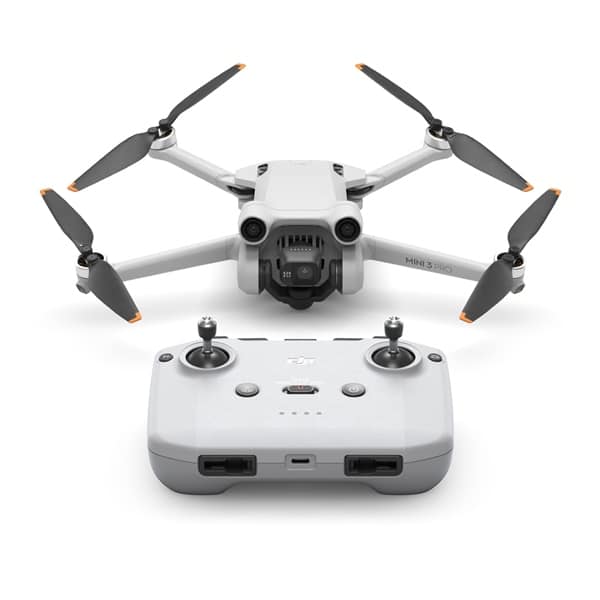
| Example | Antigravity A1 | DJI Mini 3 Pro |
Antigravity A1 vs Insta360 Sphere
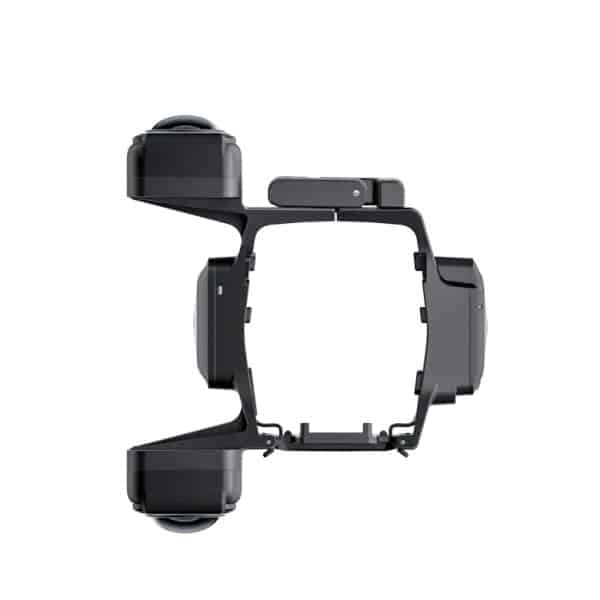
Another way to get 360 aerial footage is the Insta360 Sphere, a 360 camera that mounts on compatible DJI drones. The Sphere suits pilots who already own a compatible drone, while the Antigravity A1 is an all-in-one 360 aircraft with its own goggles and controller.
Flying the Antigravity A1 in Australia
Because the Antigravity A1 is flown through goggles, CASA’s rules for first-person-view flying apply. You must have a competent observer beside you who keeps the drone in sight and can warn you of hazards.
All the standard operating conditions also apply:
- Fly no higher than 120 m above ground level.
- Keep the drone within visual line of sight of you or your observer.
- Stay 30 m from people and never fly over them.
- Fly during the day only.
- With the high-capacity battery (over 250 g), stay 5.5 km from controlled aerodromes.
Check CASA’s drone rules and our CASA drone rules guide before you fly.
Who is the Antigravity A1 for?
The Antigravity A1 suits you if you:
- Love the creative freedom of 360 cameras.
- Want immersive, goggle-based flying.
- Travel and want compact, sub-250 g flying with the standard battery.
- Enjoy editing and reframing footage to create unique shots.
It may not suit you if you:
- Want ready-to-share footage with no editing.
- Prefer to fly solo without an observer.
- Need a traditional gimbal camera for photography and mapping.
Antigravity A1 review FAQ
How much does the Antigravity A1 weigh?
The listing quotes 249 g with the standard flight battery and 291 g with the high-capacity flight battery.
How long does the Antigravity A1 fly?
Around 22 minutes with the standard battery and around 35 minutes with the high-capacity battery, according to the listing.
Do I need an observer to fly the Antigravity A1?
Yes, when flying with goggles in Australia. CASA requires a competent observer who keeps the drone in sight.
Does the Antigravity A1 shoot 360 video?
Yes. It captures 8K 360 footage, which you reframe into standard videos after the flight.
Is the Antigravity A1 good for beginners?
It offers Cine and Normal modes for gentle flying, and 360 capture means you can’t miss the shot. Beginners should still learn the rules and practise in open spaces with an observer.
Can I use the Antigravity A1 for business?
Yes, with the right credentials. Business flying requires drone registration and at least an RPA operator accreditation, plus an observer when flying with goggles. Check CASA’s requirements before taking on paid work.
What memory card does the Antigravity A1 use?
The listing notes support for microSD cards up to 1 TB. Use a fast, reputable card to handle 8K 360 recording.
Is the Antigravity A1 worth it?
If you love creative, immersive footage and enjoy editing, yes. The ability to capture everything and choose the angle later is a big advantage over traditional drones. If you want simple, ready-to-share clips without editing, a traditional camera drone may suit you better.
The final word from our Antigravity A1 review
This Antigravity A1 review finds a drone that changes how you think about aerial filming. Capture everything, choose the angle later and enjoy an immersive goggle view while you fly. If 360 creativity excites you, the Antigravity A1 is a compelling choice.
Explore the Antigravity A1 Explorer Bundle, browse our camera drones range, or read our guide to the best 360 camera.