Learning how to fly a drone is easier than most people expect. Modern camera drones hold their position, land themselves and come home at the touch of a button. Still, smooth, confident flying takes practice, and knowing the right technique from day one saves a lot of crashes.
This guide explains how to fly a drone in 10 practical steps, from understanding the controller to take-off, hovering, turns, smooth camera moves, landing and handling emergencies. It’s written for GPS camera drones, the type most people fly, and it works whether you’ve just unboxed your first drone or want to polish your skills.
Step 1: Understand the controller
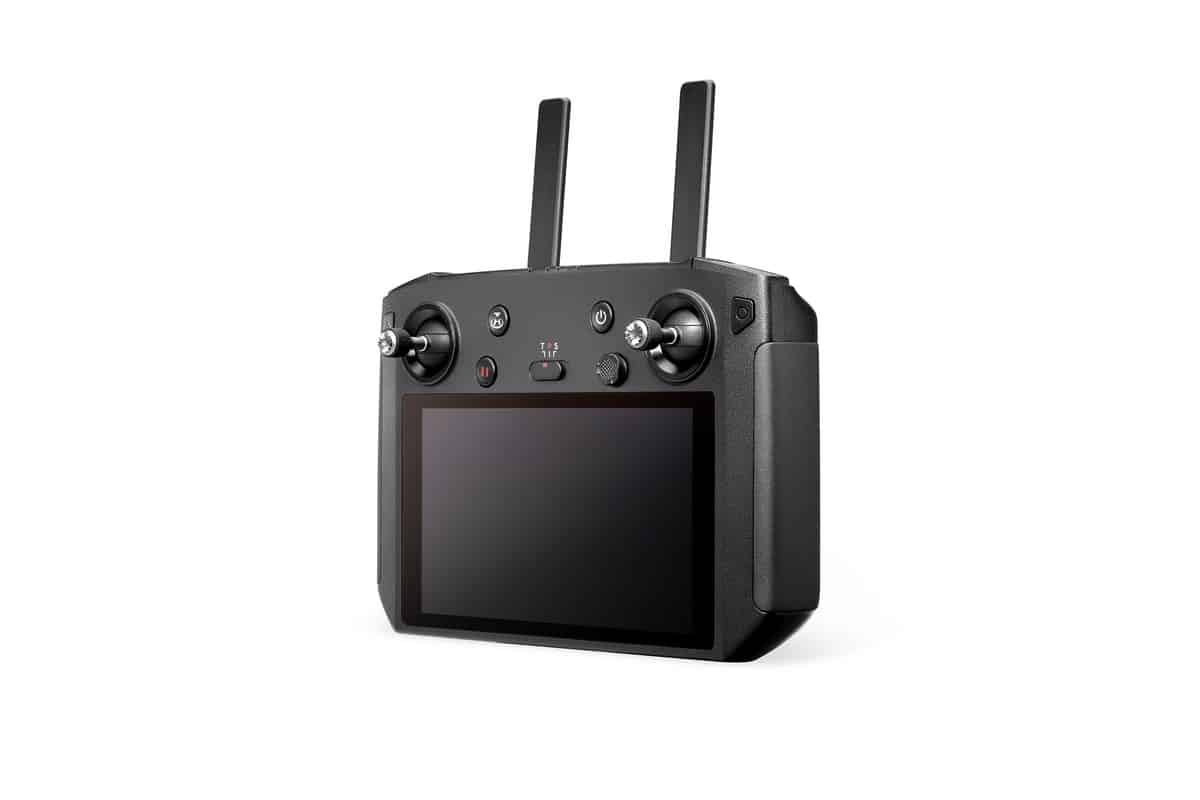
Before you fly a drone, learn what each stick does. Most drones use “Mode 2” by default, where the left stick controls height and rotation and the right stick controls movement.
| Stick | Push up/down | Push left/right |
|---|---|---|
| Left stick | Throttle: climb or descend | Yaw: rotate left or right on the spot |
| Right stick | Pitch: fly forwards or backwards | Roll: fly sideways left or right |
Small stick movements produce gentle motion. The secret to smooth flying is using light, steady inputs rather than pushing the sticks all the way.
Other controls to know
- Return-to-home button: brings the drone back to its take-off point.
- Pause or brake button: stops the drone and makes it hover.
- Flight mode switch: changes between cine, normal and sport modes on many drones.
- Gimbal wheel: tilts the camera up and down.
- Record and photo buttons: start video or take photos without touching the screen.
Step 2: Choose a safe place to practise
Pick a wide, open space with no people, trees or power lines nearby. A large park outside busy times, a sports oval with permission or a rural property is ideal.
Check a CASA-verified drone safety app for airports and restricted areas before you go. Our guide to CASA drone rules explains where and how you can fly.
Step 3: Do your pre-flight checks
A two-minute check before every flight prevents most problems.
- Batteries: drone, controller and phone are fully charged.
- Propellers: firmly attached, with no chips or cracks.
- Firmware: drone, controller and app are up to date.
- Camera and gimbal: lens clean and gimbal cover removed.
- Settings: maximum altitude at or below 120 m, return-to-home height above nearby obstacles.
- GPS: wait for a strong satellite lock and home point confirmation.
- Surroundings: no people within 30 m and a clear take-off area.
Step 4: Take off
Place the drone on flat, open ground facing away from you. Stand a few metres behind it so the drone’s left and right match your own.
Most drones offer auto take-off, which lifts the drone to a hover about a metre or so above the ground. For a manual take-off, start the motors and gently push the left stick up until the drone lifts off, then let it settle into a hover.
Step 5: Master the hover
Hovering is the foundation of everything when you learn how to fly a drone. Climb to around head height and let go of the sticks. A GPS drone should hold its position.
Practise small corrections: a little left, a little right, a little forward, then back to centre. Keep the drone facing away from you so the controls feel natural.
Step 6: Fly in straight lines
Once hovering feels easy, fly short straight lines.
- Gently push the right stick forward to fly away, then back to return.
- Push it left and right to fly sideways.
- Stop between each movement and let the drone settle.
Keep the drone close and low at first. As confidence grows, extend the distance while keeping the drone clearly in sight.
Step 7: Learn to turn
Turning introduces the trickiest part of learning how to fly a drone: orientation. When the drone faces you, left and right feel reversed.
- Rotate the drone slowly using the left stick until it faces sideways.
- Fly it forward a short distance in that direction.
- Rotate it to face you and practise gentle movements.
- Rotate it back to face away and fly home.
Many drones show a direction arrow on the map. Glance at it if you lose track of which way the drone is facing.
Step 8: Combine movements for smooth shots
Cinematic footage comes from combining stick inputs smoothly. Try these classic moves:
- Fly forward and climb: gently push forward on the right stick and up on the left for a rising reveal.
- Orbit: fly sideways while slowly rotating towards a subject to circle around it.
- Pull back and rise: fly backwards while climbing to reveal the landscape.
- Tracking shot: fly alongside a moving subject at a steady speed.
Use your drone’s cine or tripod mode, if it has one, for slower, smoother movements while filming.
Step 9: Land safely
Bring the drone back and position it above a flat, clear landing spot. Slowly lower the left stick until it touches down, then hold the stick down until the motors stop, or use the auto-land function.
Avoid landing on long grass, sand or uneven ground, which can damage props or let debris into the motors. A landing pad helps.
Step 10: Know what to do in an emergency
Learning how to fly a drone includes knowing how to react when something goes wrong.
| Situation | What to do |
|---|---|
| Lost orientation | Press pause to hover, then use the map arrow or rotate until the drone faces away |
| Low battery warning | Return immediately, or trigger return-to-home |
| Strong wind | Descend to reduce wind speed and fly back in short, steady bursts |
| Signal lost | Most drones return home automatically; keep watching and stay calm |
| Person or aircraft approaching | Descend and land, or move well away |
| Drone drifting unexpectedly | Switch to a mode that holds position, or land as soon as safely possible |
Practise return-to-home in a safe, open area so you know exactly how your drone behaves.
How to fly a drone in wind
Wind is the biggest challenge for small drones. Here’s how to fly a drone safely when it’s breezy.
- Check the forecast for wind speed and gusts, and compare them with your drone’s rated wind resistance.
- Watch the in-app warnings. Many drones alert you when wind is strong.
- Fly lower. Wind is usually stronger at height.
- Fly upwind first. Head into the wind on the way out so the wind helps you home.
- Keep extra battery. Fighting a headwind drains batteries quickly.
- Land early if the drone struggles to hold position.
How to fly a drone at the beach or coast
Coastal flying offers stunning views but brings sea breezes, salt and people. Choose a quiet stretch, stay at least 30 m from swimmers and beachgoers, and never fly over crowds. Calibrate the compass away from metal objects, avoid launching from sand if you can, and wipe the drone down after flying to remove salt and grit.
How to fly a drone for photos
Photography rewards patience and planning.
- Shoot in good light. Early morning and late afternoon give warm, soft light.
- Use the grid. Turn on gridlines to compose with the rule of thirds.
- Try top-down shots. Point the camera straight down for patterns and abstract views.
- Bracket exposures. Use AEB mode to capture several exposures for high-contrast scenes.
- Shoot RAW. It gives more flexibility when editing.
How to fly a drone for video
Smooth video needs smooth flying.
- Use cine or tripod mode for slower, gentler movements.
- Start and end each move gradually rather than abruptly.
- Keep the horizon level.
- Use ND filters in bright sun for natural motion blur.
- Plan each shot before take-off so you know exactly what you’re filming.
Flying with obstacle sensing
Obstacle sensing helps prevent crashes, but it isn’t magic. Sensors may not detect thin branches, wires or glass, and many drones only sense in certain directions. Learn which directions your drone covers, keep a safe distance from obstacles and remember that some sensors switch off in sport mode.
Common mistakes when learning to fly a drone
- Taking off without a GPS lock, which can stop return-to-home from working properly.
- Flying too far, too soon, before orientation skills are solid.
- Reversing blind without checking what’s behind the drone.
- Ignoring battery warnings until it’s too late.
- Using sport mode near obstacles, where sensors may be disabled.
- Forgetting the return-to-home height, so the drone clips a tree on the way back.
Building confidence over time
Confidence comes from repetition. Fly little and often, set a small goal for each session and review your footage afterwards. When you can fly a drone smoothly in open spaces, gradually add new challenges such as orbits, tracking shots or flying in light wind.
Flying with friends who also fly a drone can help too. You can share tips, swap observer duties and learn from each other’s footage.
How to fly a drone at sunrise and sunset
Golden hour produces the most beautiful footage, but it brings a few challenges. Low sun can dazzle you and make the drone hard to see, so position yourself with the sun to the side or behind you. Light changes quickly, so plan your shots in advance and arrive early.
Remember that recreational flying is limited to daylight hours, from sunrise to sunset. Make sure you’re on the ground before official sunset.
Understanding the app screen
The live view and on-screen data help you fly a drone with confidence. Learn where to find:
- Altitude and distance from the home point.
- Battery percentage and estimated flight time remaining.
- GPS signal strength and the number of satellites.
- Transmission signal strength.
- The map, showing the drone’s position and direction.
- Obstacle warnings, if your drone has sensors.
Glance at the screen regularly, but keep your eyes on the drone itself so you always maintain line of sight.
Flight modes explained
Most camera drones offer several flight modes. Knowing them helps you fly a drone safely in different situations.
- Cine or tripod mode: slow and smooth, ideal for filming and tight spaces.
- Normal mode: balanced speed and control with all safety features active.
- Sport mode: faster, with some obstacle sensing switched off. Use it only in open space.
- Intelligent modes: automated shots such as orbits, tracking and hyperlapse.
Practice drills to build skills fast
Short, focused drills build skills faster than aimless flying.
- Box drill: fly a square, stopping at each corner.
- Figure eight: fly smooth figure eights around two markers.
- Nose-in hover: hover with the drone facing you and make small corrections.
- Orbit practice: circle a fixed object while keeping it centred in frame.
- Precision landing: land on a small target, such as a hat or landing pad.
Indoors, a netted Portable Drone Cage creates a safe space to practise with small drones.
How to fly a drone with intelligent flight modes
Intelligent flight modes automate complex shots, and they’re a great way to get impressive footage while you’re still learning how to fly a drone manually.
- Orbit or point of interest: the drone circles a subject automatically.
- ActiveTrack or follow modes: the drone follows a moving subject.
- Dronie: the drone flies backwards and upwards away from you.
- Rocket: the drone climbs straight up with the camera pointing down.
- Hyperlapse: the drone captures a time-lapse while moving.
- Panorama: the drone takes several photos and stitches them together.
Always check the flight path is clear before starting an automated shot, and be ready to pause it if anything changes.
How to fly a drone safely around people and property
Even when you can fly a drone well, the rules on people and property still apply. Keep at least 30 m from anyone not involved in your flight, never fly over people and avoid flying over private property without permission. Respect privacy by not filming people who haven’t agreed.
Looking after your drone between flights
Good care keeps your drone flying reliably.
- Let batteries cool before charging them.
- Store batteries at around half charge if you won’t fly for a while.
- Check propellers and replace any that are damaged.
- Wipe off dust, sand and salt after each outing.
- Keep firmware updated.
- Carry the drone in a protective case.
Choosing a drone that’s easy to learn on
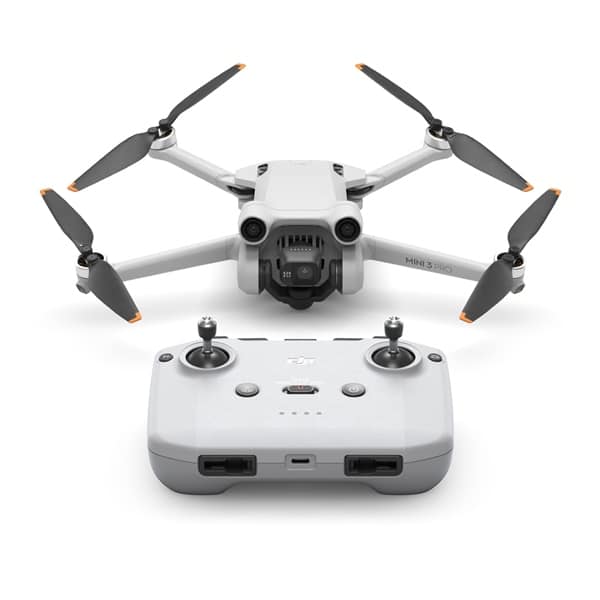
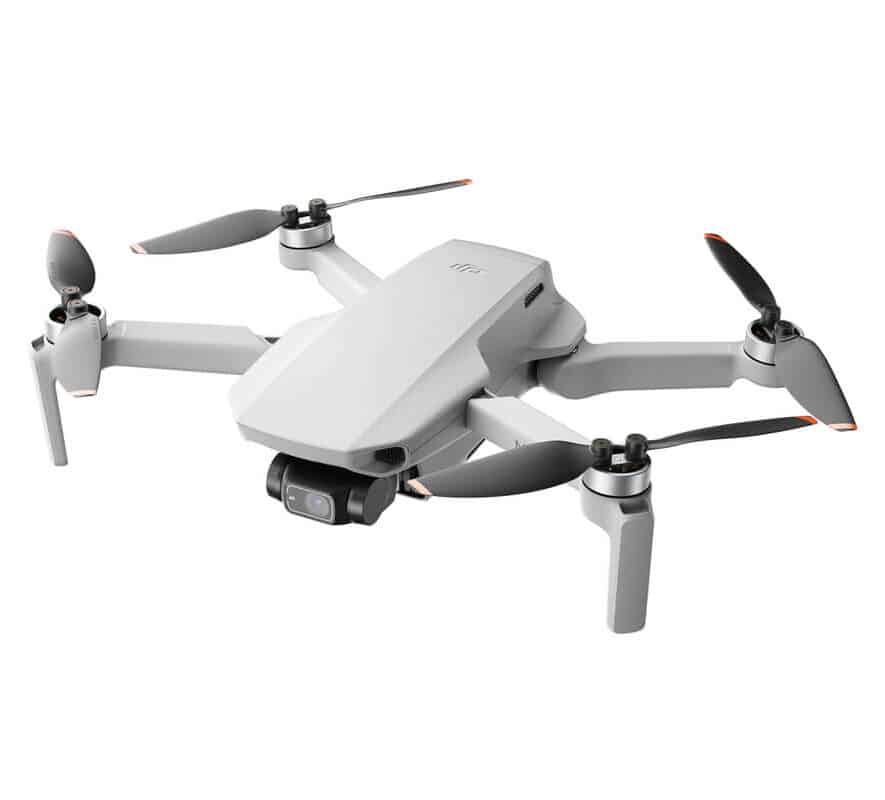
A stable, GPS-equipped drone with return-to-home makes learning much easier. Popular options include the DJI Mini 2 Fly More Combo, the DJI Mini 3 Pro with obstacle sensing and the Autel EVO Nano Plus.
Our guide to the best drone for beginners compares more options.
The rules to remember
Every time you fly a drone in Australia, follow CASA’s standard operating conditions: stay below 120 m, keep the drone in sight, stay 30 m from people, fly during the day and keep clear of airports and emergencies. Check CASA’s drone rules for the latest details.
How to fly a drone FAQ
How long does it take to learn how to fly a drone?
Most people can fly a GPS camera drone confidently within a few sessions. Smooth, cinematic flying takes longer, but short, regular practice builds skill quickly.
Is it hard to fly a drone?
Modern GPS drones are much easier than older models because they hover and return home automatically. Orientation when the drone faces you is the trickiest skill to master.
Should I practise on a simulator?
Simulators are especially useful for FPV flying. For GPS camera drones, real practice in an open space is usually the fastest way to learn.
What is Mode 2 on a drone controller?
Mode 2 is the most common stick layout, with throttle and yaw on the left stick and pitch and roll on the right.
Can I fly a drone in the rain?
Most drones aren’t waterproof, so avoid flying in rain. Waterproof models such as our waterproof drones are designed for wet conditions.
How high can I fly a drone in Australia?
Under CASA’s standard operating conditions, you must fly no higher than 120 m above ground level.
What’s the best way to practise flying a drone?
Practise little and often in a large open space, using simple drills like hovering, squares and figure eights. Small, focused sessions build skills faster than long, aimless flights.
Do I need a licence to fly a drone for fun?
No. In Australia you don’t need a licence to fly a drone recreationally, but you must follow CASA’s safety rules. Business flying needs registration and accreditation; see our drone licence guide.
What should I do if my drone flies away?
Stay calm, press pause or return-to-home and watch the drone. Most drones return automatically when they lose signal. Afterwards, review the flight log to understand what happened.
Start flying with Drones Direct
Now you know how to fly a drone: learn the controller, choose a safe place, check everything, master the hover and build up to smooth, combined movements. With practice, flying becomes second nature.
Browse our camera drones, read our drone buying checklist or visit the drone shop.